首頁買幣指南購買KTN
在 墨西哥 購買 KTN
Kattana (KTN)

在 墨西哥 購買 Kattana (KTN)

了解如何在 LBank 購買Kattana (KTN),內容涵蓋信用卡、簽帳金融卡、Apple Pay 與銀行轉帳等支付方式,以及購買流程、準備事項與常見問題。

第一步
下載LBank App
請下載LBank App 並註冊以開始使用
第二步
為您的帳戶充值
使用您首選的付款方式進行存款。
第三步
選擇您的數字貨幣
從LBank交易所或錢包上提供的 3,000,000+ 數字貨幣中選擇您想購買的貨幣。

購買決策資訊速覽表

信用卡 / 簽帳卡

信用卡 / 簽帳卡

手續費
動態費率
處理時間
通常 1 分鐘內,最長 48 小時
最低購買金額
約 10-15 USD 起
適用地區
視地區、法幣、發卡行及支付通道支援情況而定
銀行轉帳 / 本地轉帳

銀行轉帳 / 本地轉帳

手續費
動態費率
處理時間
視支付方式而定,部分本地通道可更快
最低購買金額
約1-10 USD起
適用地區
視當地支付通道而定

在 LBank 購買 KTN 的三個簡單步驟

註冊 LBank 帳戶

如何在 LBank 購買 KTN:支援的付款方式一覽

了解在 LBank 購買 KTN 可使用的付款方式,包括信用卡、簽帳金融卡、銀行轉帳、Apple Pay、Google Pay、PayPal 與 P2P,幫助您快速選擇適合的 KTN 購買方式。

信用卡 / 簽帳卡
信用卡 / 簽帳卡
處理時間: 通常 1 分鐘內,最長 48 小時
使用支援國際線上交易的 Visa / Mastercard,確認已開通 3D Secure;失敗後可更換銀行卡或稍後重試
常見失敗原因: 發卡行拒絕加密貨幣交易、餘額不足、3D Secure 驗證失敗、風控攔截、地區或卡組織不支援
銀行轉帳 / 本地轉帳
銀行轉帳 / 本地轉帳
處理時間: 即時至 1-3 個工作日
核對收款帳戶、參考碼和轉帳網路,並使用與實名認證一致的銀行帳戶付款
常見失敗原因: 收款資訊或參考碼錯誤、姓名不一致、銀行處理延遲、轉帳網路不支援

在 LBank 購買Kattana (KTN)前需要完成哪些準備?

查看在 LBank 購買 Kattana (KTN) 前需要完成的準備事項,包括註冊帳戶、身份驗證 (KYC)、付款方式、地區可用性與購買前注意事項,幫助您更順利完成 BTC 購買流程。

適合誰
想直接用法幣快速購買 KTN 的用戶
買前準備清單
註冊並登入帳戶
完成所需 KYC
準備支付方式
確認地區可用,查看限額/手續費/到帳時間
用戶路徑
Buy Crypto

如何在 LBank 上購買Kattana - 逐步指南

在開始之前,請決定您要如何付款:

用法幣支付

如果您是加密貨幣新手,使用法幣(如美元、歐元等)是購買 Kattana 最簡單的方式。LBank 接受各種付款方式,包括簽帳金融卡、信用卡、銀行轉帳,以及可能提供的其他當地付款選項。您可能需要在購買前為您的 LBank 帳戶充值。

用其他加密貨幣支付

如果您已經持有其他加密貨幣,您可以在 LBank 上將它們交易為 Kattana。請確認 LBank 支援您需要的交易對(例如,Bitcoin (BTC)。LBank 提供多種交易對,讓您可以方便地將現有的加密貨幣兌換為 Kattana 。

LBank 支援多種付款方式

您可以使用以下各種付款方式在 LBank 上購買 Kattana:

簽帳金融卡
信用卡
PayPal
Apple Pay
Google Pay

手機應用程式指南

1
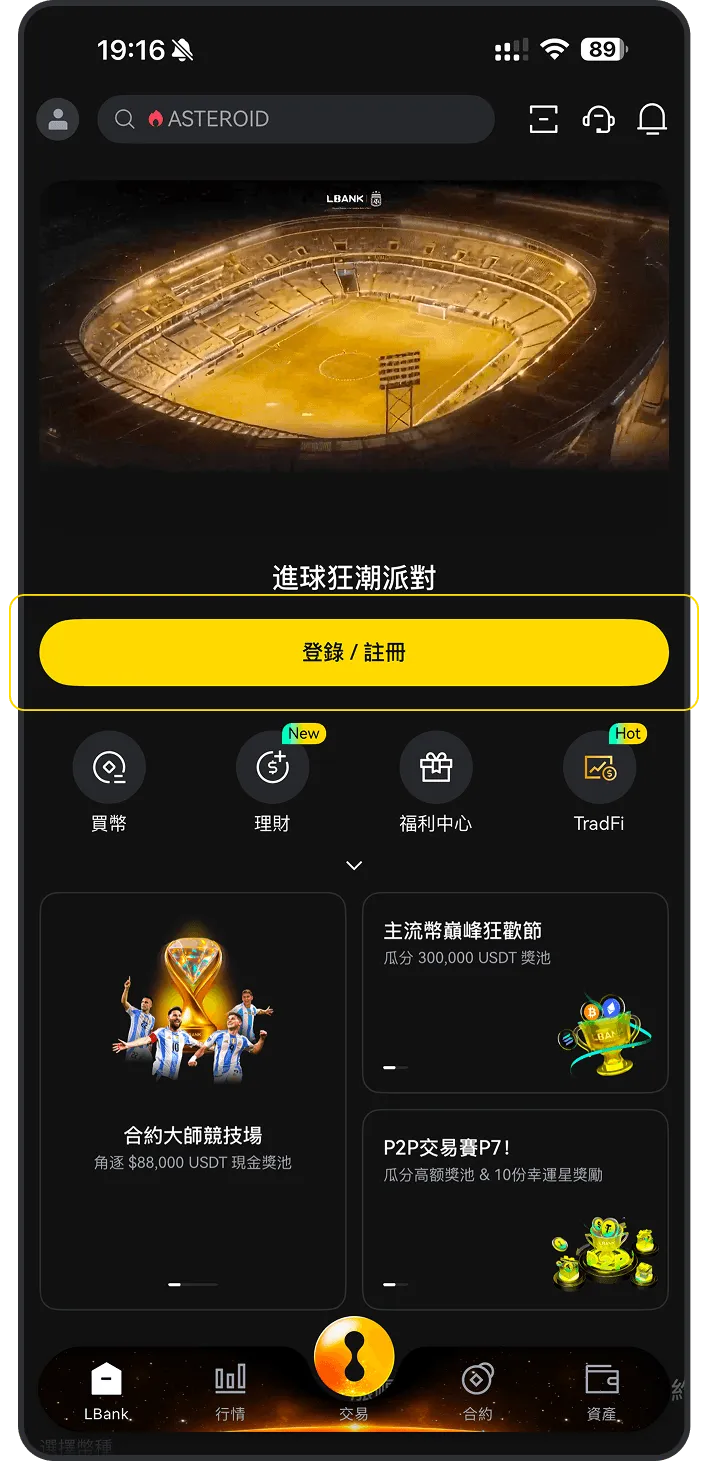
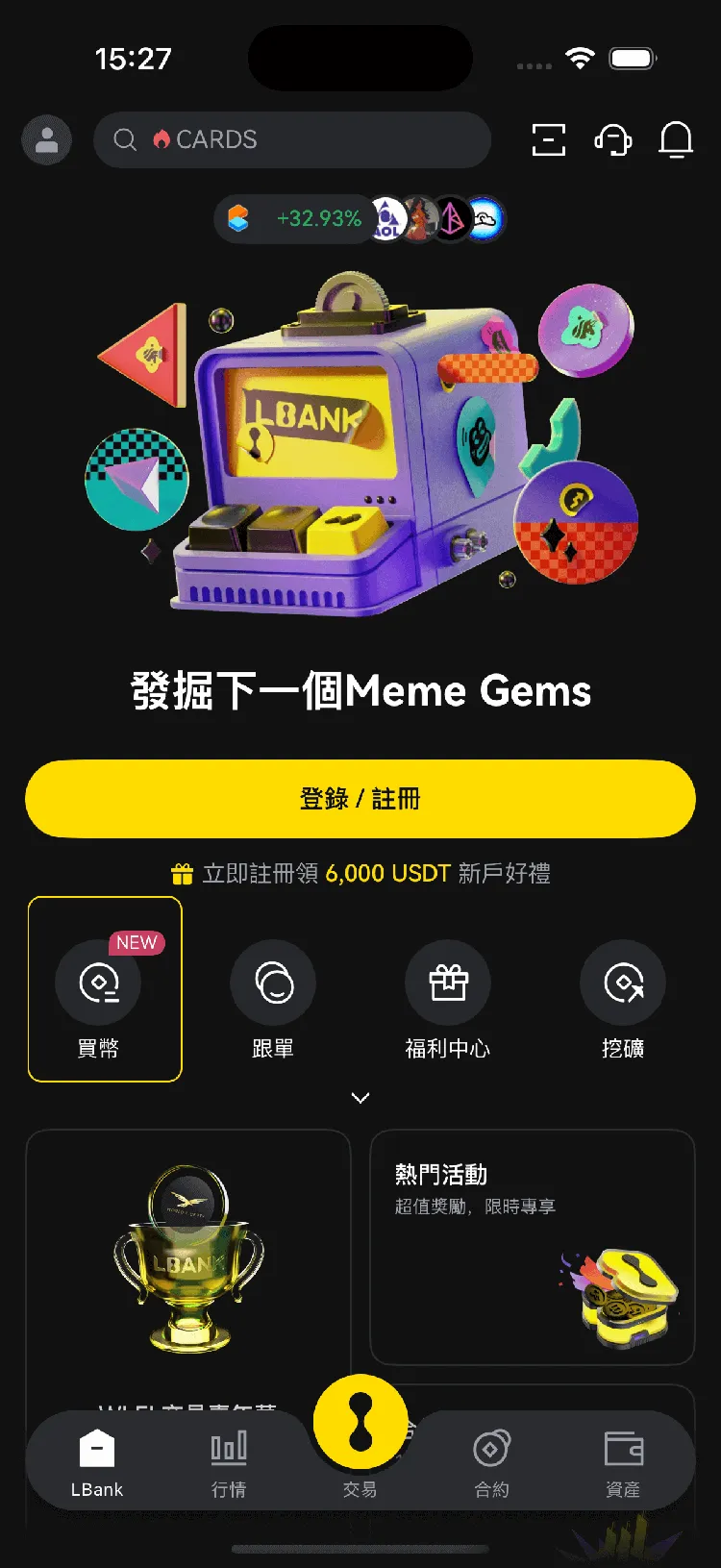
打開 LBank 手機應用程式,然後點擊「買幣」
2
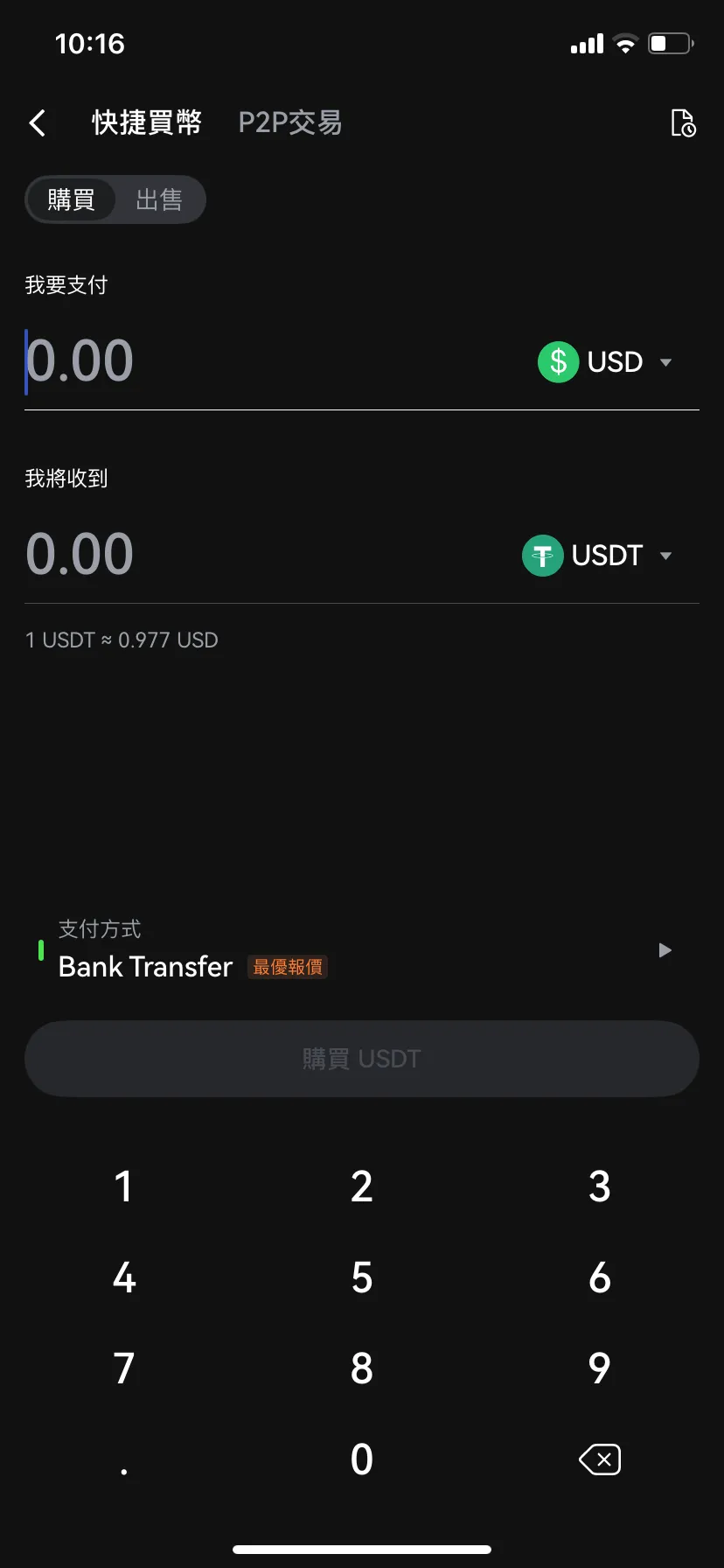
選擇「購買」
3
選擇 ,輸入您要使用的法幣,輸入金額,點擊「買入」或「確認」

桌面版指南

1
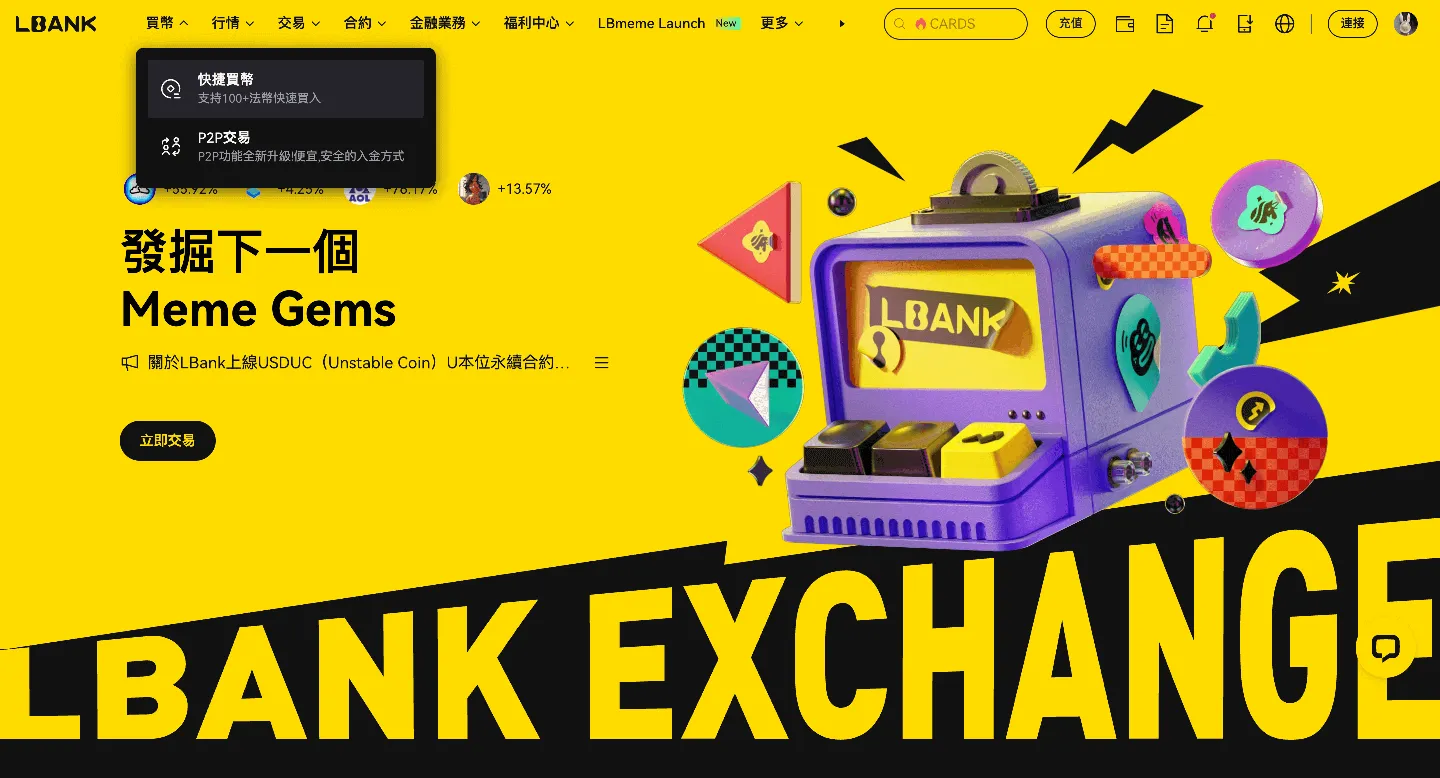
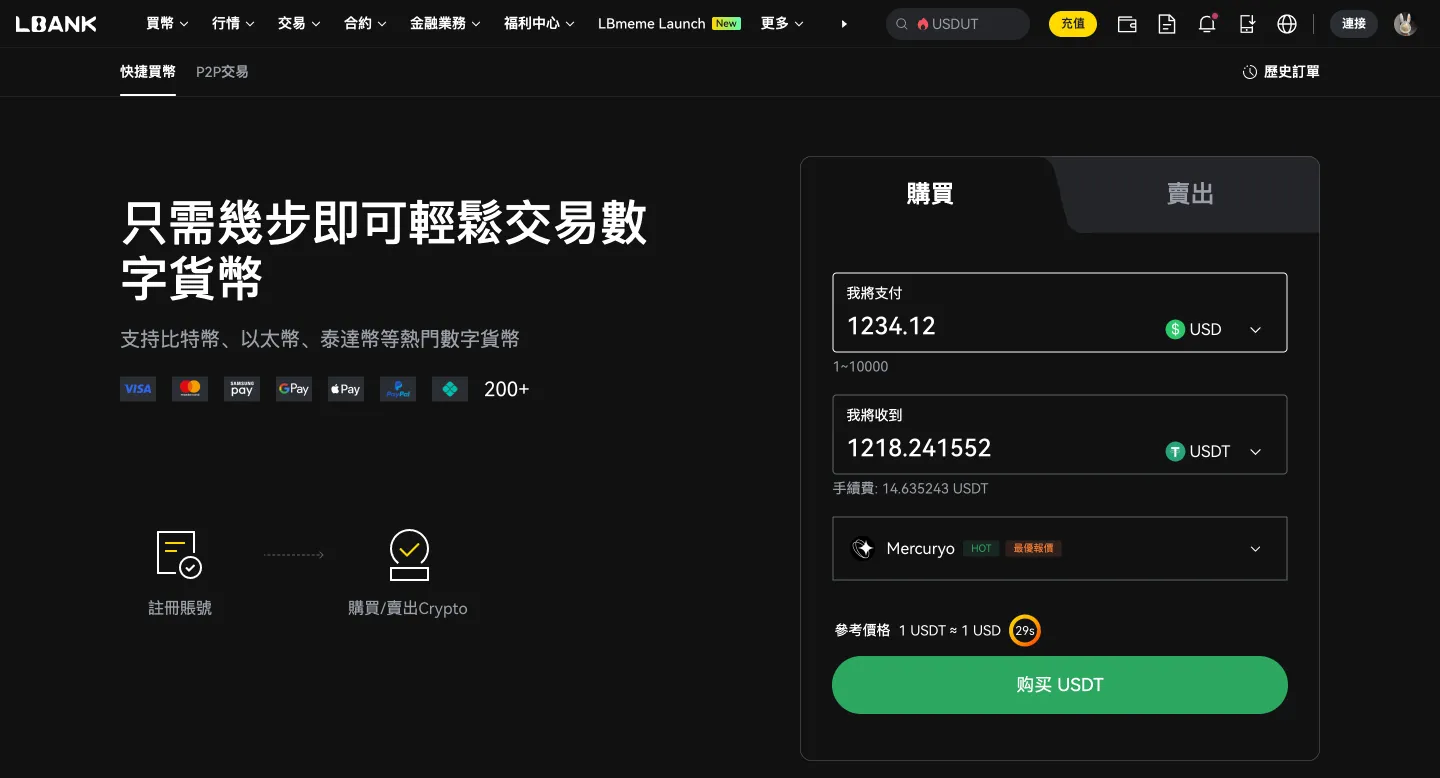
在您的桌面瀏覽器上登入 LBank,然後點擊「快捷買幣」選項。
2
在「快捷買幣」標籤上:

(a). 選擇您要使用的法幣

(b). 選擇要購買的 Kattana

(c). 輸入金額或使用快速選項(例如,100、100、500、最大值)

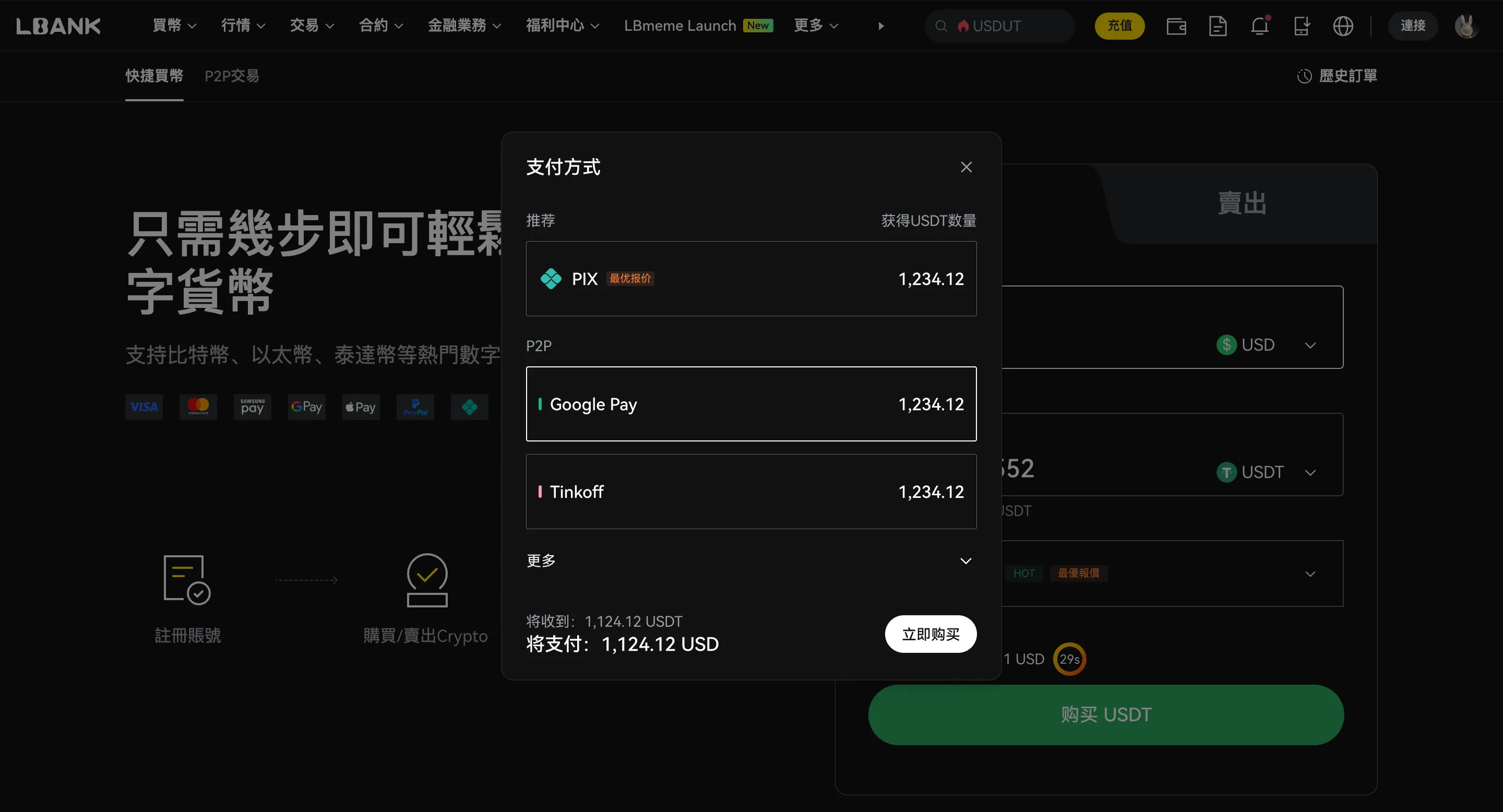
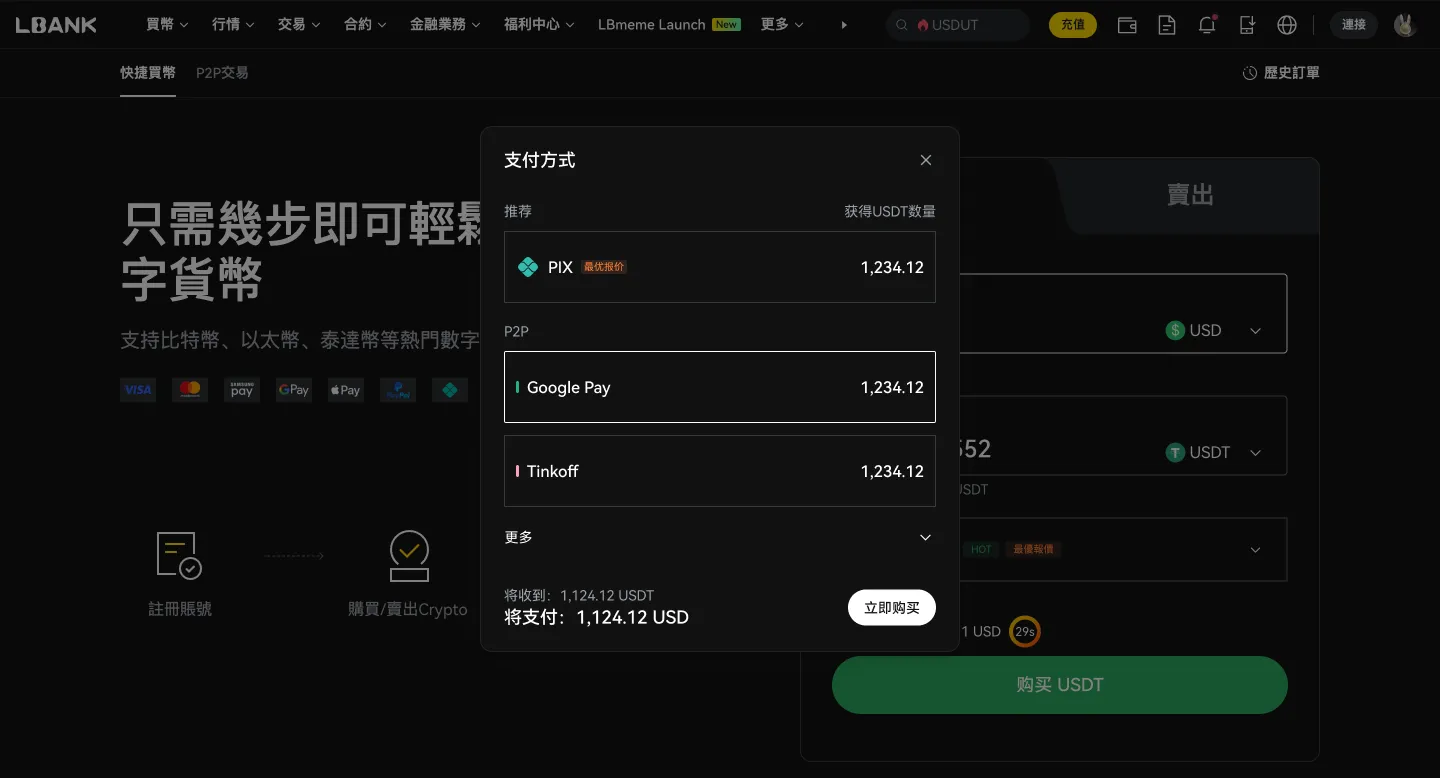
(d). 選擇您的付款方式

(e). 點擊「確認」或「立即購買」

P2P 交易

商家
單價
數量 | 限額
支付方式
操作
YY
YYDS_Trader
1103 min | 100%
0.927 USD
5250.46 USDT
300.000 - 4867.176USD
Bank Transfer
ET
ETZ_Trader
1127 min | 100%
0.927 USD
7293.07 USDT
200.000 - 6600.000USD
Bank Transfer
PE
PewPewPow (MYR)
821 min | 100%
0.936 USD
1361.11 USDT
30.000 - 1273.998USD
Bank Transfer

什麼是 Kattana (KTN)?

Kattana is a professional-grade trading terminal designed for the decentralized finance and centralized finance ecosystems. The project aims to provide a comprehensive toolset for cryptocurrency traders, comparable to the advanced terminals found in traditional finance. Originally operating within the centralized finance sector, the project transitioned into the decentralized space to bring sophisticated trading capabilities to blockchain users. The core of the platform is a cross-chain terminal that allows users to trade across dozens of decentralized exchanges and multiple blockchain networks, including Ethereum, BNB Chain, Polygon, and Avalanche. One of its standout features is the ability to view up to twenty-four high-quality charts simultaneously on a single screen, providing a broad overview of market movements. Additionally, the platform offers advanced order types that are traditionally difficult to find in decentralized environments, such as limit orders. The platform also includes an AI-powered news aggregator that provides curated information relevant to a user's interests and assets. For portfolio management, Kattana offers tools for analyzing wallet transactions and calculating performance metrics for various tokens. This allows traders to track their activities across different protocols from a centralized dashboard. The native utility token of the project is KTN. This token serves several functions within the ecosystem. It is primarily used to grant users access to different service tiers. While basic features are available for free, users can access more advanced plans by holding or paying with the token. These premium tiers offer expanded charting capabilities, more detailed wallet analysis, and other professional tools. Furthermore, token holders may participate in the governance of the platform, allowing them to vote on proposals and influence the future development of the project. Some features also allow for staking the token to secure rewards or participate in community-driven initiatives. Overall, Kattana is built to serve both novice and experienced traders by consolidating fragmented trading tools into a single, user-friendly interface. It focuses on solving common issues in decentralized trading, such as lack of advanced data analysis and complex multi-platform navigation, by offering a unified workspace for digital asset management. 瞭解更多

Kattana (KTN) 是否是一個好的投資標的?

Kattana (KTN) 是否是一個好的投資標的取決於您個人的財務狀況和風險承受能力。加密貨幣投資具有投機性,價格可能高度波動。

在投資 Kattana (KTN) 或任何加密貨幣之前,請考慮以下因素:

您的財務目標
您的財務目標
您是尋求短期收益還是長期增長?
您的風險承受能力
您的風險承受能力
您對於損失金錢的可能性有多大的承受度?
多元化
多元化
不要把所有的雞蛋放在同一個籃子裡。將您的投資組合分散到不同的資產類別中。
您的目標和時間範圍
您的目標和時間範圍
加密貨幣最適合長期投資者。免責聲明:這不是財務建議。在做出任何投資決策之前,請進行徹底的研究。

在 LBank 購買 KTN 的手續費、限額與到帳時間

比較不同支付方式下的手續費、交易限額與預計到帳時間。實際費用與可用性可能因地區、法幣、支付方式及第三方服務商不同而變化,請以下單頁顯示為準。

投資報酬率計算

如果我投資,我的利潤是多少?
投入
$
進入
KTN
日期
2026-07-04
您將獲得 -- 美元的利潤,即投資報酬率的 --

您可以用 Kattana (KTN) 做什麼?

投資
購買並持有 Kattana (KTN),期望其價值隨著時間的推移而增加。
投資
交易
在 LBank 上積極交易 Kattana (KTN),從價格波動中獲利。
交易
支付
在接受的地方使用 Kattana (KTN) 支付商品和服務。
支付

為什麼 LBank 是購買 Kattana (KTN) 的最佳平台?

使用者友善的介面
使用者友善的介面
LBank 提供一個簡單直觀的平台,用於購買和出售 Kattana (KTN)。
具競爭力的費用
具競爭力的費用
LBank 為 Kattana (KTN) 提供具競爭力的交易費用。
安全的平台
安全的平台
LBank 採用強大的安全措施來保護您的資金。
多樣的交易對
多樣的交易對
LBank 提供多種 Kattana (KTN) 交易對選擇。
24/7 客戶支援
24/7 客戶支援
LBank 提供客戶支援,以協助您解決任何問題或疑問。
手機應用程式
手機應用程式
使用 LBank 手機應用程式隨時隨地交易 Kattana (KTN)。
高流動性
高流動性
LBank 為 Kattana (KTN) 交易提供出色的流動性,確保您可以輕鬆買賣您的加密貨幣資產。
監管合規
監管合規
LBank 遵守其營運所在司法管轄區的所有監管要求,確保合規和安全的交易環境

買到 KTN 後,怎麼存放更合適?

買到 KTN 後,可以根據使用頻率、持有週期與安全需求,選擇不同的存放方式。如果你需要隨時交易,可先存放在 LBank 帳戶;如果更重視自主管理或長期安全,則可考慮個人錢包或硬體錢包。

存放在 LBank 帳戶

存放在 LBank 帳戶

適合誰
想隨時交易或兌換的用戶
短期持有 BTC 的用戶
特點
買入後可直接使用,操作更方便
適合頻繁交易、轉換或繼續使用平台功能
安全提醒
請開啟 2FA
設定防釣魚碼
僅透過官方入口登入帳戶
轉到個人熱錢包

轉到個人熱錢包

適合誰
希望自己管理資產的用戶
需要日常轉帳或鏈上使用的用戶
特點
使用更靈活,方便日常收發與管理
更適合小額持有與日常使用場景
安全提醒
不要將助記詞或私鑰保存在雲端
不要透過聊天工具、郵件或截圖保存敏感資訊
留意釣魚網站與假錢包 App
轉到硬體錢包

轉到硬體錢包

適合誰
長期持有 BTC 的用戶
更重視安全性的大額持有者
特點
私鑰離線儲存,安全性通常更高
更適合長期存放,不常移動的資產
安全提醒
妥善離線備份助記詞
不要向任何人透露恢復短語
遺失助記詞後,資產可能無法恢復

Kattana (KTN) 常見問題

Kattana is a professional-grade cross-chain trading terminal designed to bring the sophisticated tools of centralized finance (CeFi) into the decentralized finance (DeFi) ecosystem. It aggregates over 40 decentralized exchanges (DEXs) across multiple blockchain networks, including Ethereum, BNB Chain, Polygon, and Avalanche. Often described as a highly advanced data and trading hub, it allows users to manage their entire DeFi portfolio from a single, unified interface.
No, Kattana is not a DEX. It is a trading terminal or interface that connects to various liquidity sources. Instead of holding your funds in its own liquidity pools, it allows you to trade on multiple external DEXs and centralized exchanges through one dashboard. This approach ensures you maintain control of your assets while benefiting from a consolidated trading experience.
The KTN token is the native utility token of the Kattana ecosystem. Its main functions include providing tiered access to premium platform plans (such as Basic, Pro, and Fund levels), which unlock advanced trading tools. Additionally, users can stake KTN to participate in governance and earn rewards. The platform also features a rebate system where active traders can receive a portion of their trading fees back in KTN.
Kattana provides several high-end features typically missing from standard DEX interfaces. This includes the ability to view up to 24 charts simultaneously and the capability to set limit orders on decentralized exchanges. Furthermore, it offers advanced analytics tools like the 'Wallet Card' and 'Holders List,' which allow traders to analyze the profit and loss (PnL) of specific wallets and track the movements of significant market participants.
Yes, Kattana is a non-custodial terminal, meaning it does not have direct access to your funds. When you connect a wallet, you retain full control over your private keys. For centralized exchange integrations, API keys are encrypted and stored locally on your own device rather than on Kattana's servers. This architecture ensures that security remains in the hands of the user at all times.
KTN is available for trading on several major exchanges, including LBank. Once purchased, you can transfer the tokens to a compatible Web3 wallet like MetaMask. To view your KTN balance, you will need to add the official contract address for the Ethereum network to your wallet interface. This allows you to easily use your tokens for staking or to unlock premium features on the Kattana trading platform.

如何購買其他加密貨幣資產