

LBank P2P enables direct crypto trading using local fiat currency. Set your preferred price, select convenient payment methods, and complete secure, instant transactions protected by LBank’s escrow service.
Enter P2P Trading
-
Visit LBank official website and log in to your account;
-
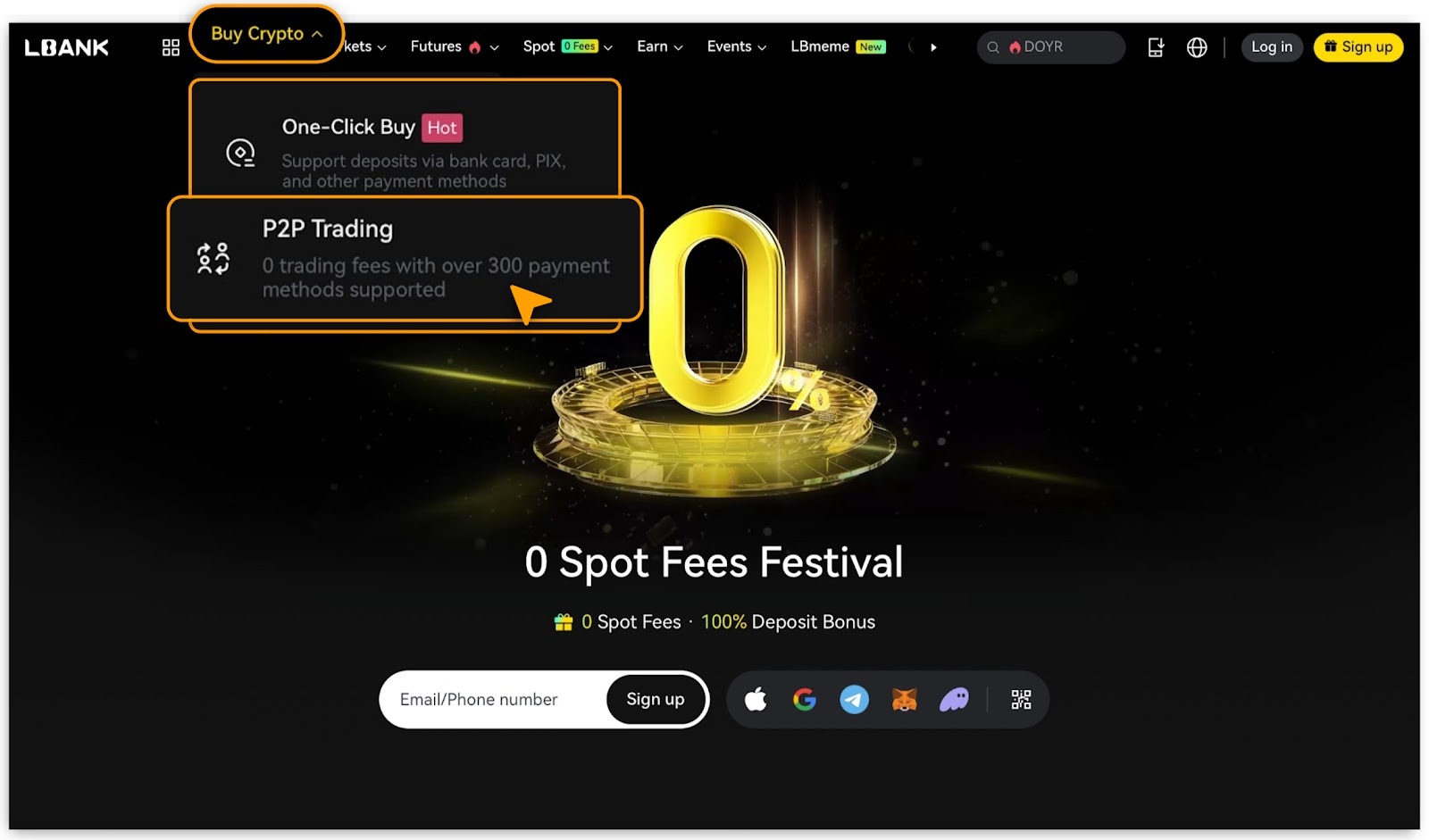
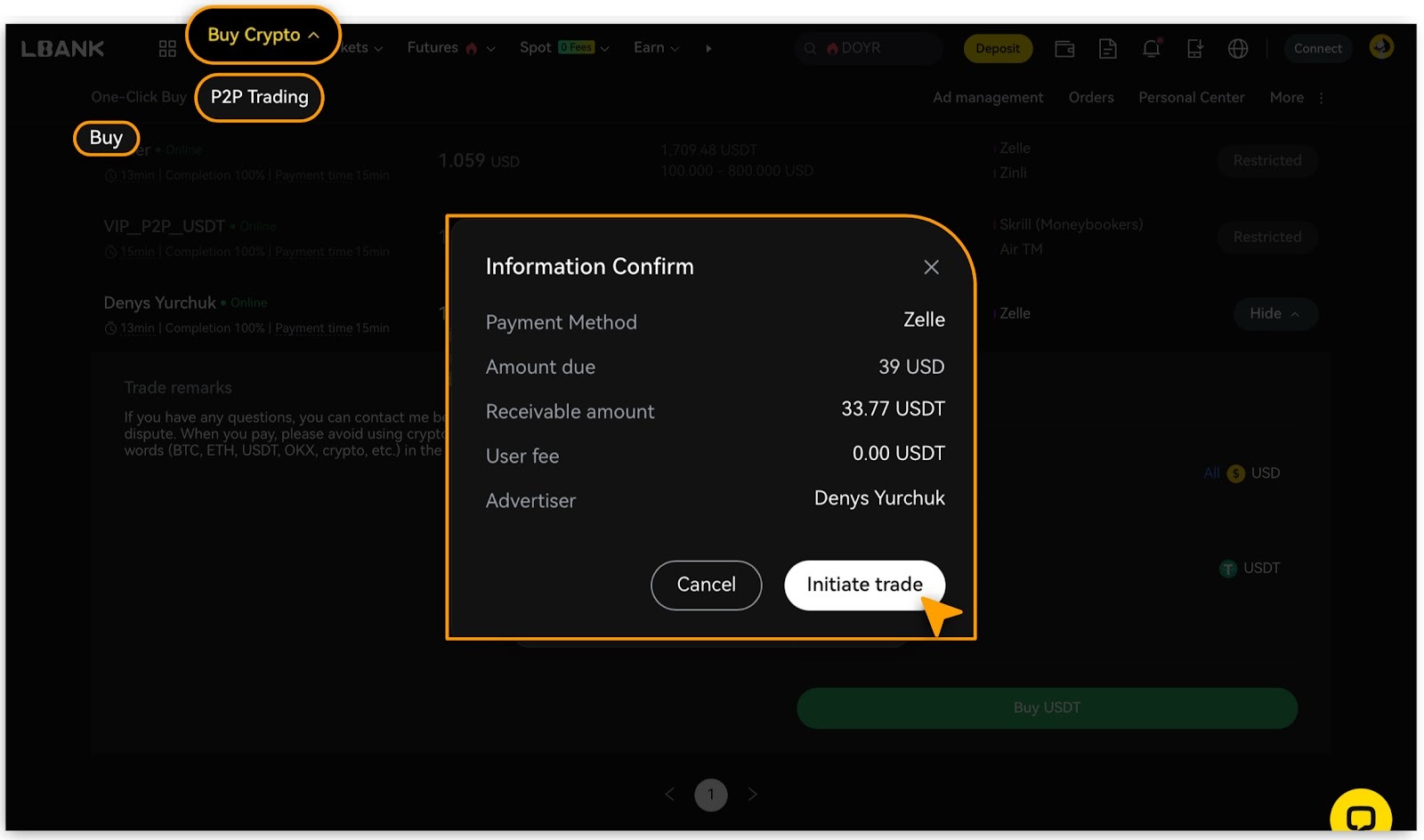
Click [Buy Crypto] > [P2P Trading].
Complete a P2P Purchase
Select Cryptocurrency and Offer
-
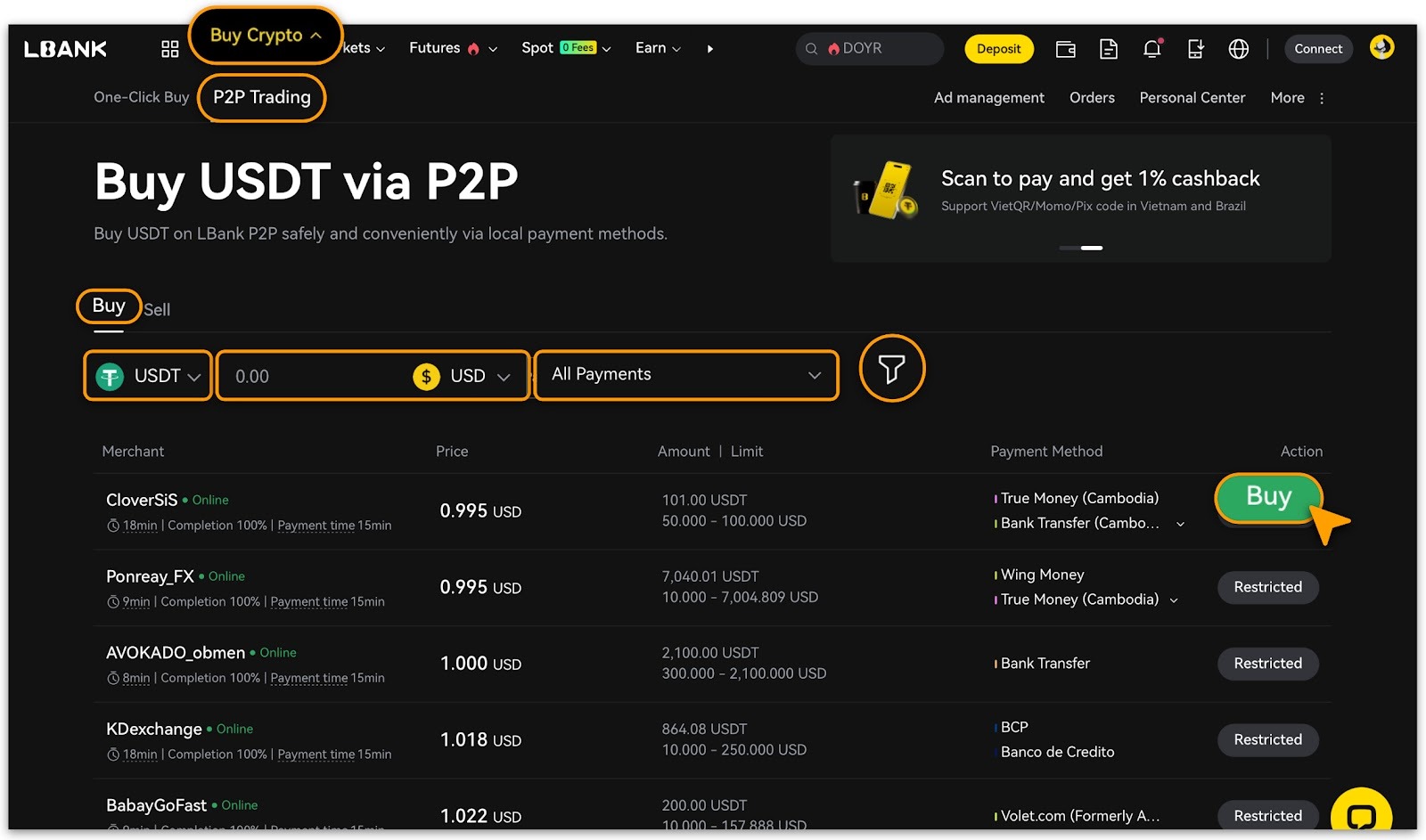
Choose the cryptocurrency you wish to buy by filtering target buying crypto「USDT」or「USDC」,「Fiat Type」and「Payment Method」;
-
Browse available advertisements, review each seller’s「Amount」,「Limit」and「Payment Methods」, then click「Buy」on your preferred offer.
-
Sellers marked with the「Restricted」label are not available to you due to regional or payment method restrictions.
-
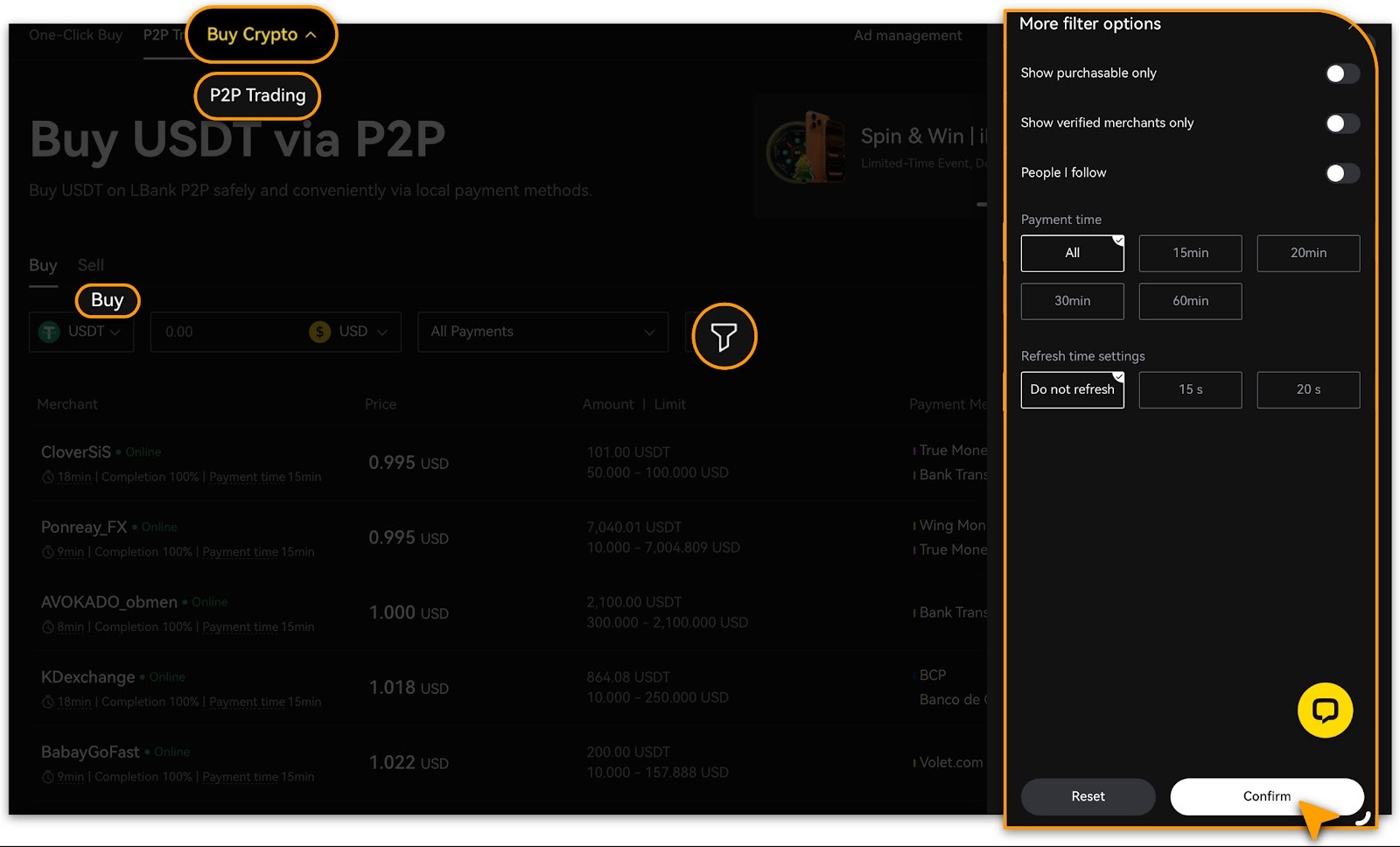
Additionally, tap「Filter」button to further customize your preferred conditions.
Submit Order Details
-
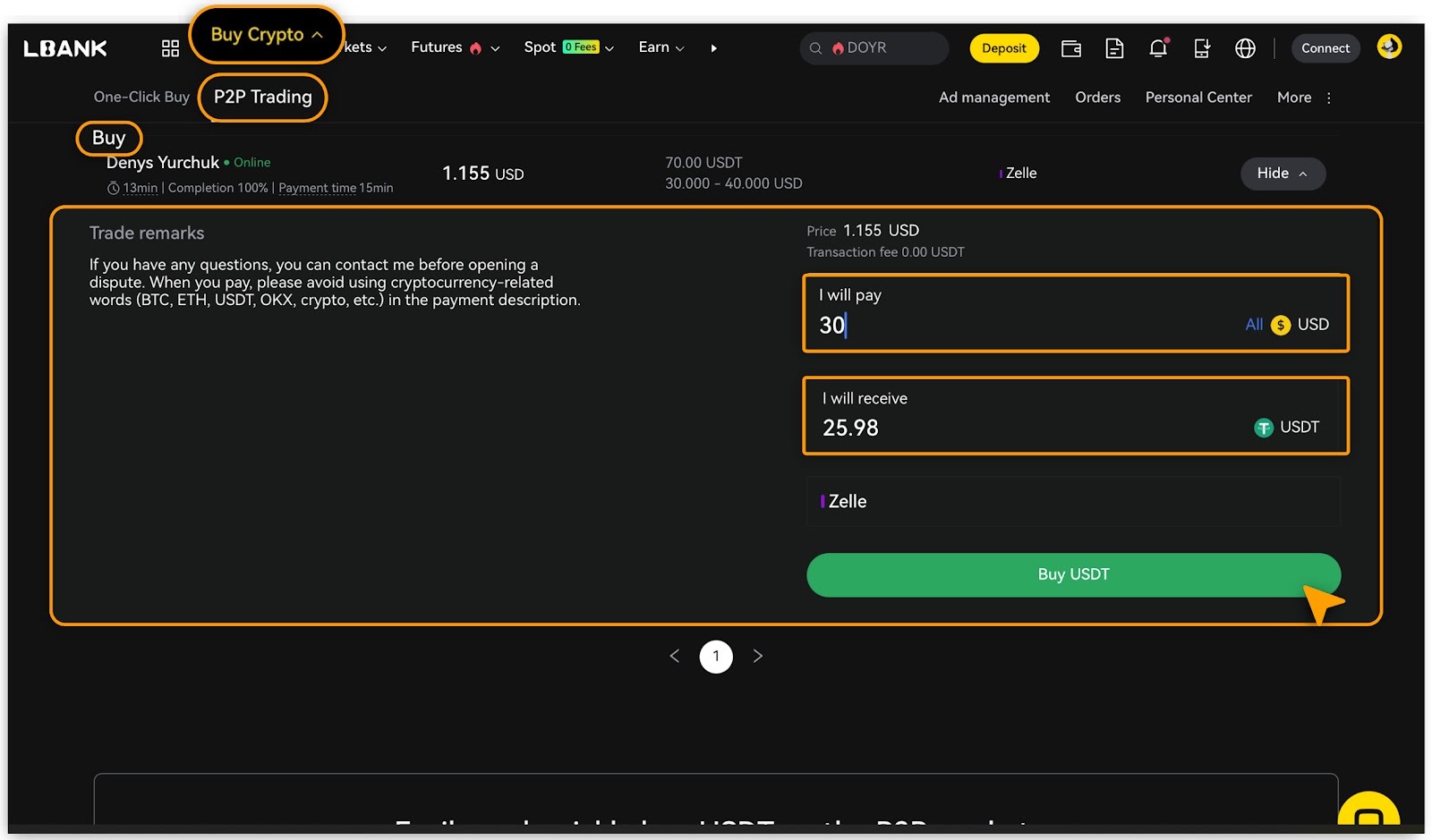
Enter the fiat「Amount」in「I will pay」, confirm「Payment Method」and the amount of「I will receive」which is auto-calculated by system;
-
Tap「Buy」to proceed order.
-
Tap「Initial Trade」to double-confirm.
Make Payment to Seller
-
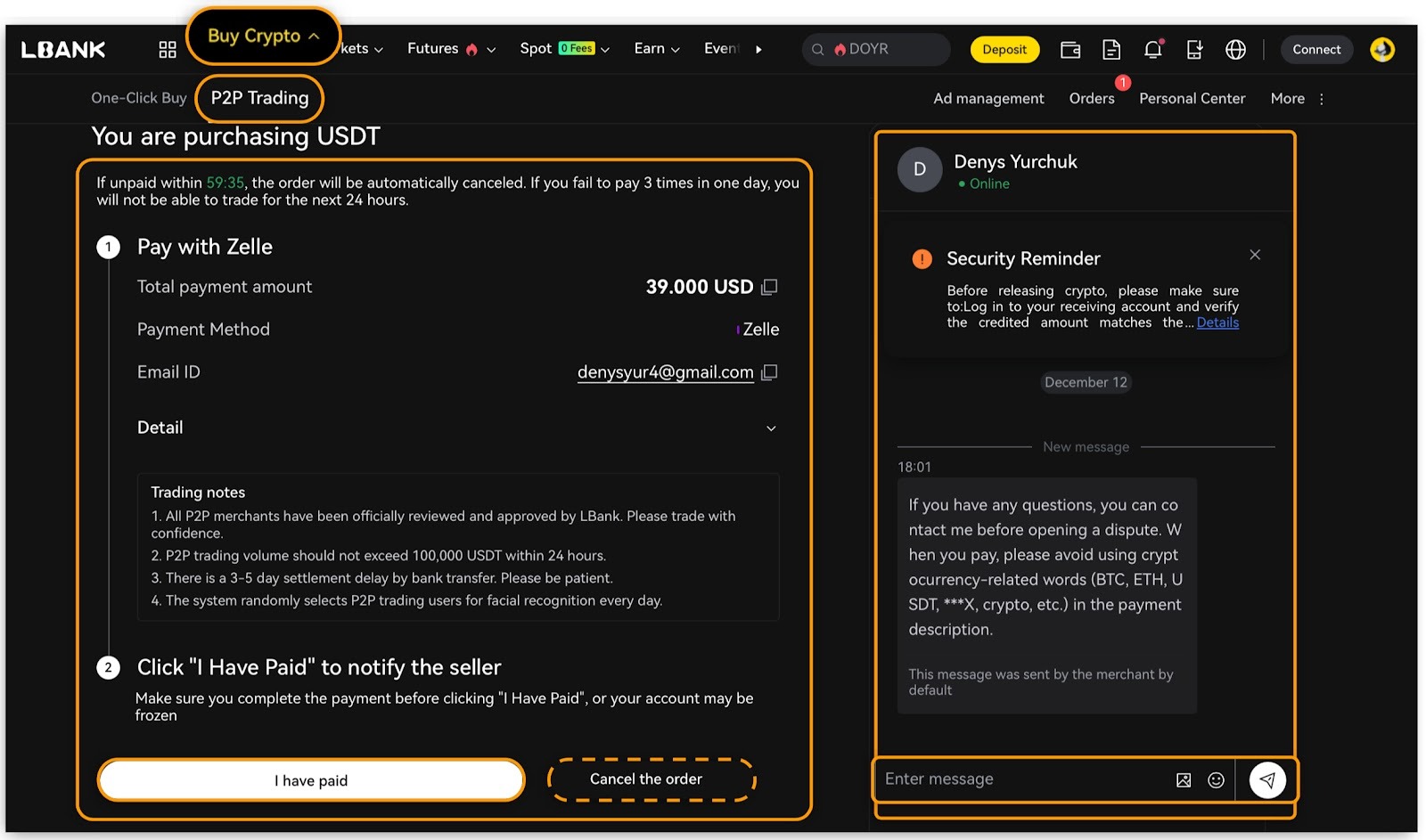
Transfer the funds to the seller using their preferred payment method within the time limit.
-
Confirm order details,
-
if payment is completed, tap「I have paid」to check account balance;
-
tap「Cancel the order」if your mind changes.
-
Use「Chat」 to contact the seller if needed.
Important Note
Transfer funds directly to the seller via bank transfer or the specified third-party payment platform using only the provided recipient details.
-
Do not click [Cancel Order] unless the seller has fully refunded you.
-
Do not click [Confirm] until payment has been successfully sent.
Check Your Assets
Cryptocurrency Received
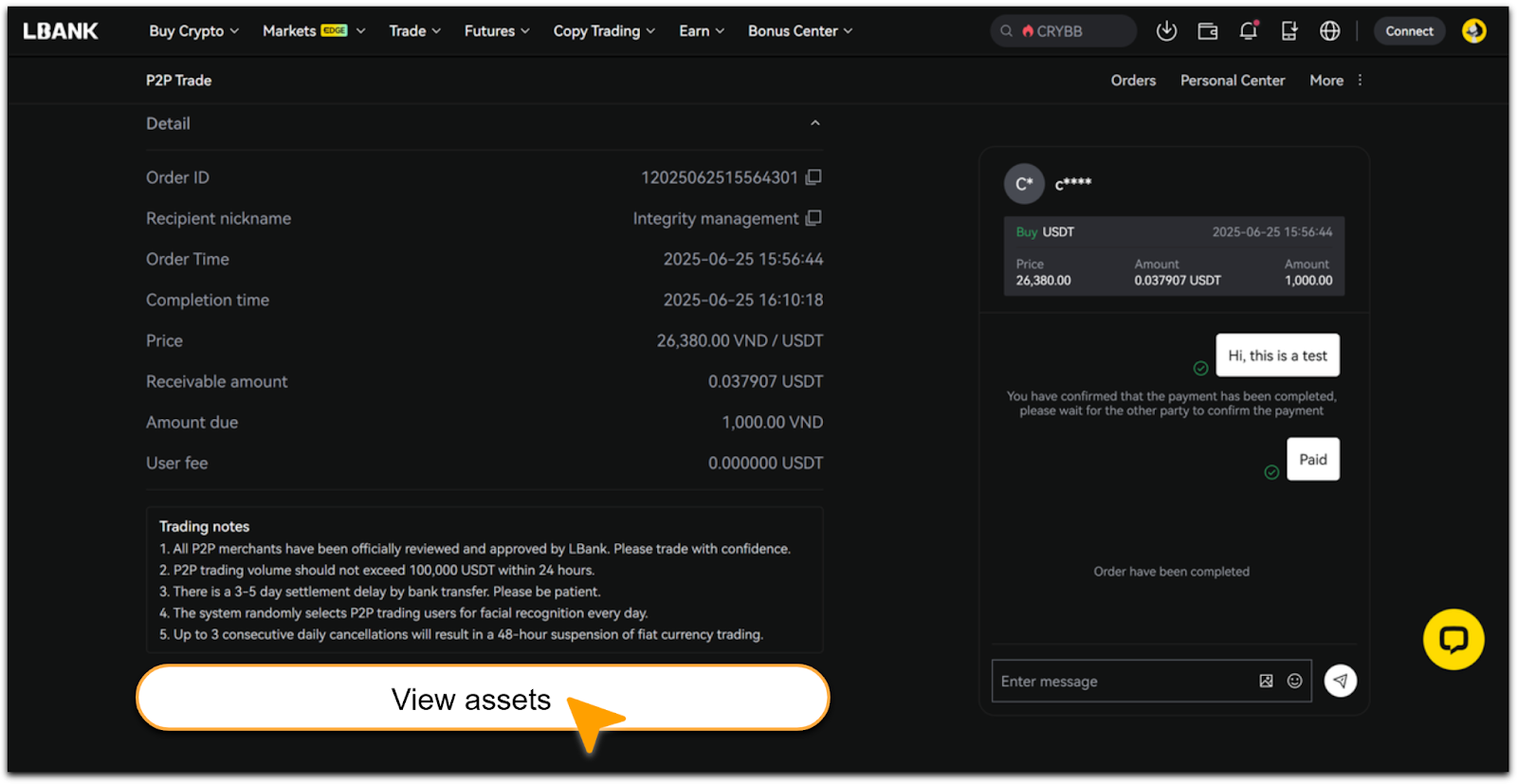
Once the seller confirms receipt of payment, the cryptocurrency will be released from escrow. Click「View Assets」to verify your balance.
Cryptocurrency Not Received
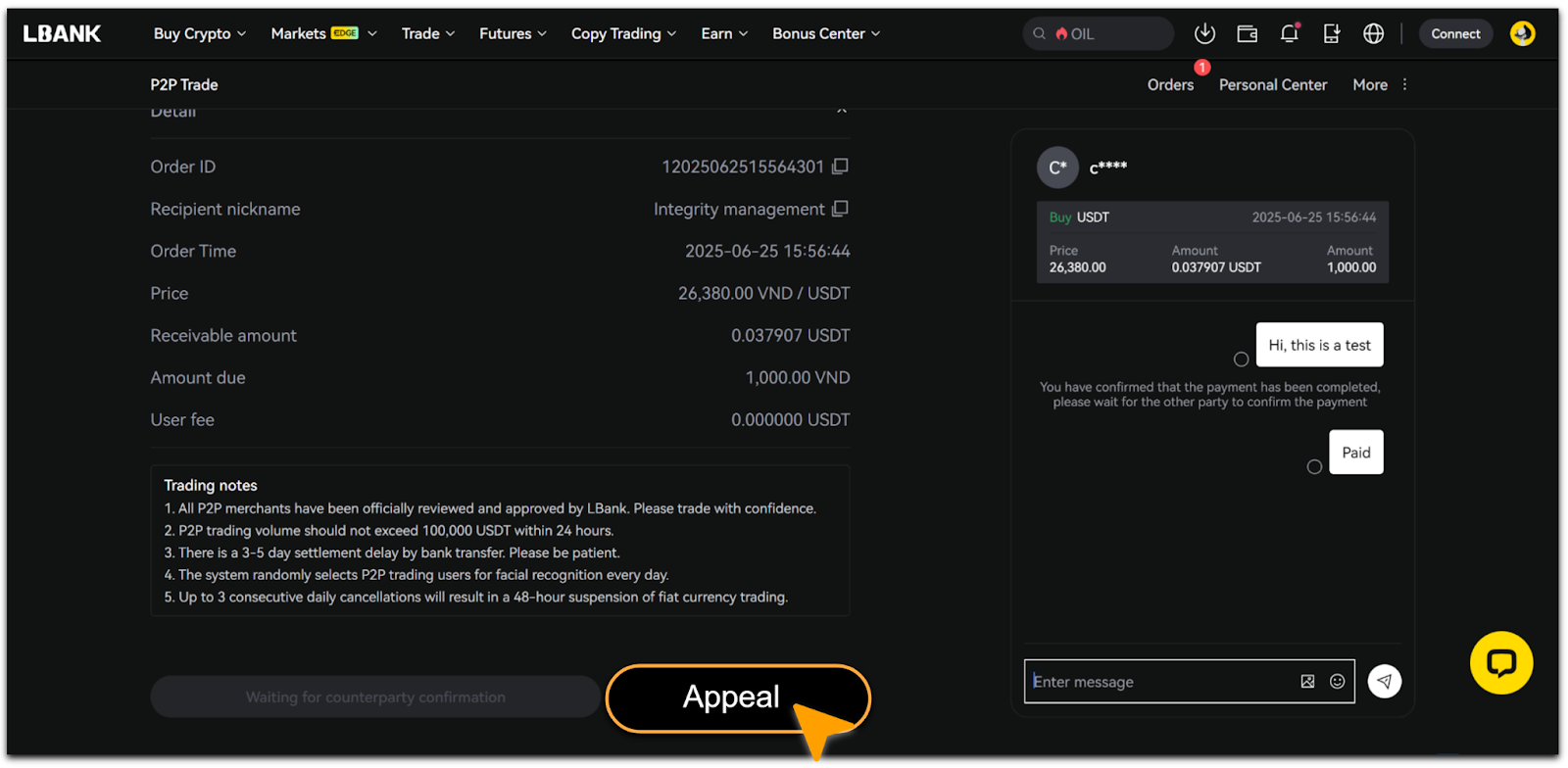
If the cryptocurrency is not released after you confirm payment, click「Appeal」immediately to contact Customer Support for assistance.
Reminder
-
Please add your payment method before trading. See details on「How to Add & Delete Payment Methods」.
-
You may have up to two active P2P orders simultaneously. Please complete or cancel existing orders before creating new ones.