

In LBank P2P trading, adding and managing payment methods allows you to conveniently buy and sell cryptocurrencies with fiat currency. To ensure smooth transactions and asset security, please use payment accounts registered in your own name and configure your payment methods as needed. This guide provides detailed steps for adding and deleting payment methods on both the App and Web versions.
How-to Steps
App
Adding Payment Method
-
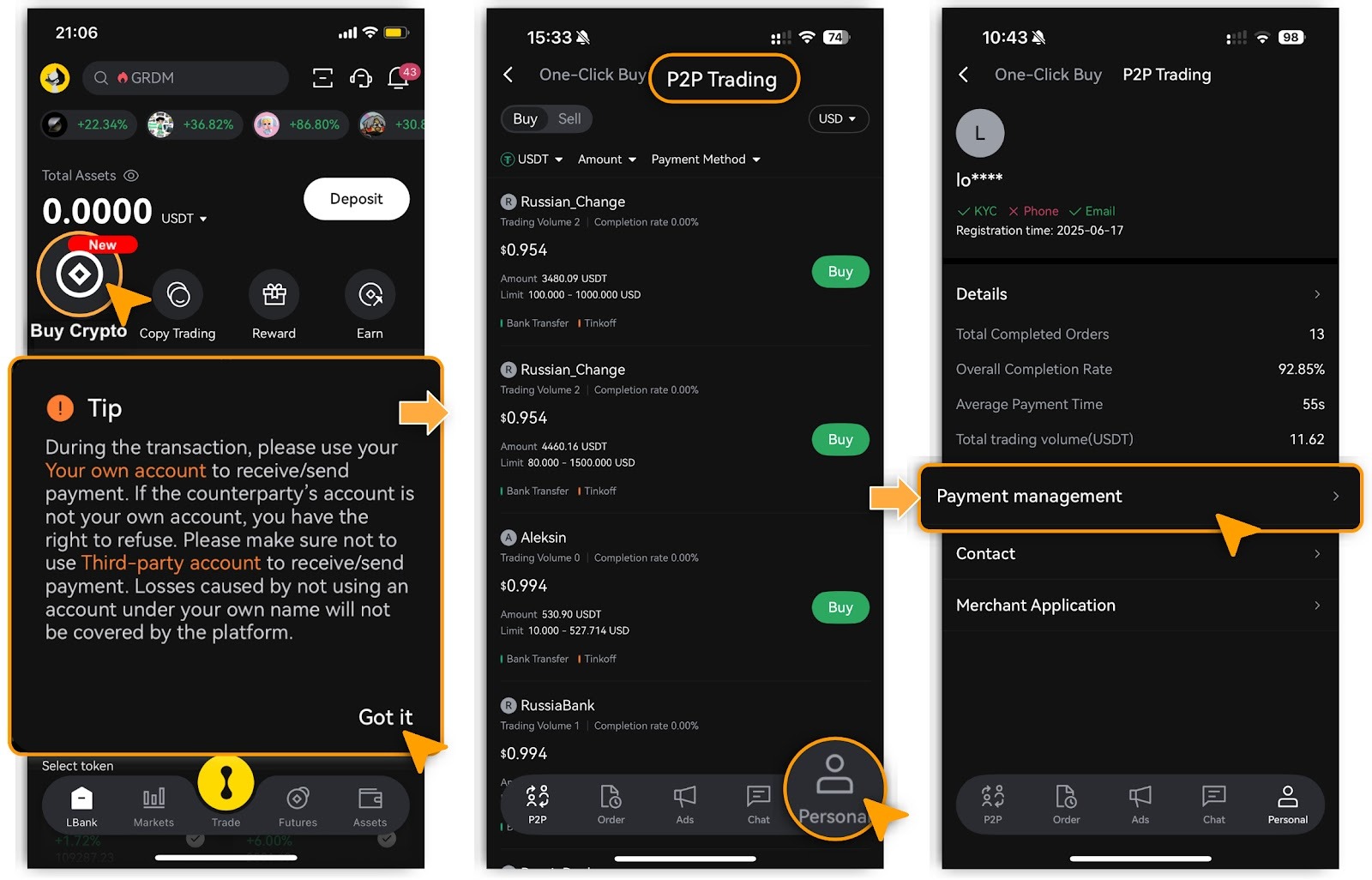
Log in to the LBank App, tap「Buy Crypto」, and review the tips before proceeding. Then select 「P2P Trading」.
-
Tap「Personal」, then select「Payment Management」.
-
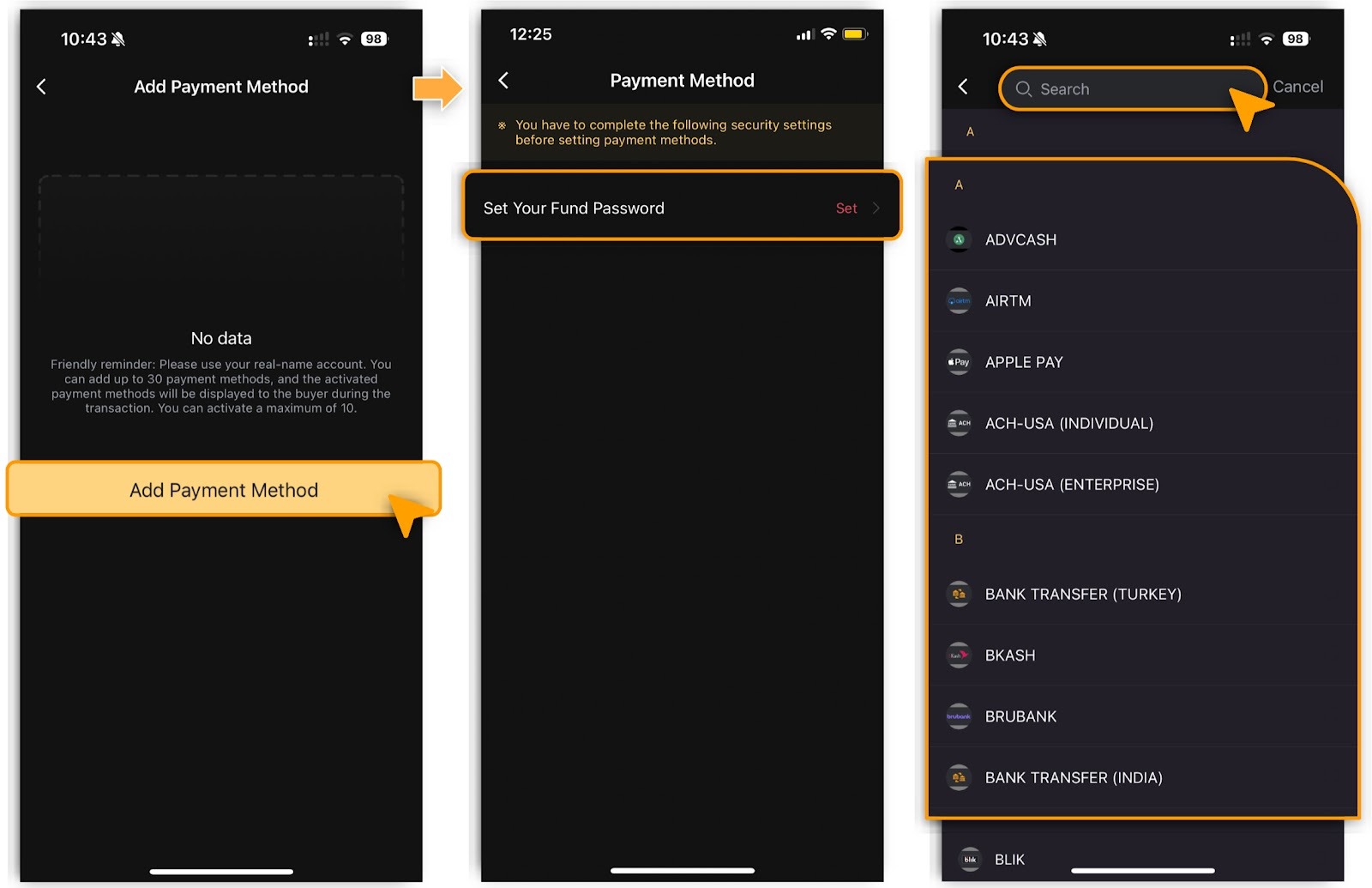
Tap「Add Payment Method」, set your fund password for security;
-
Choose your preferred option from the available payment methods.
-
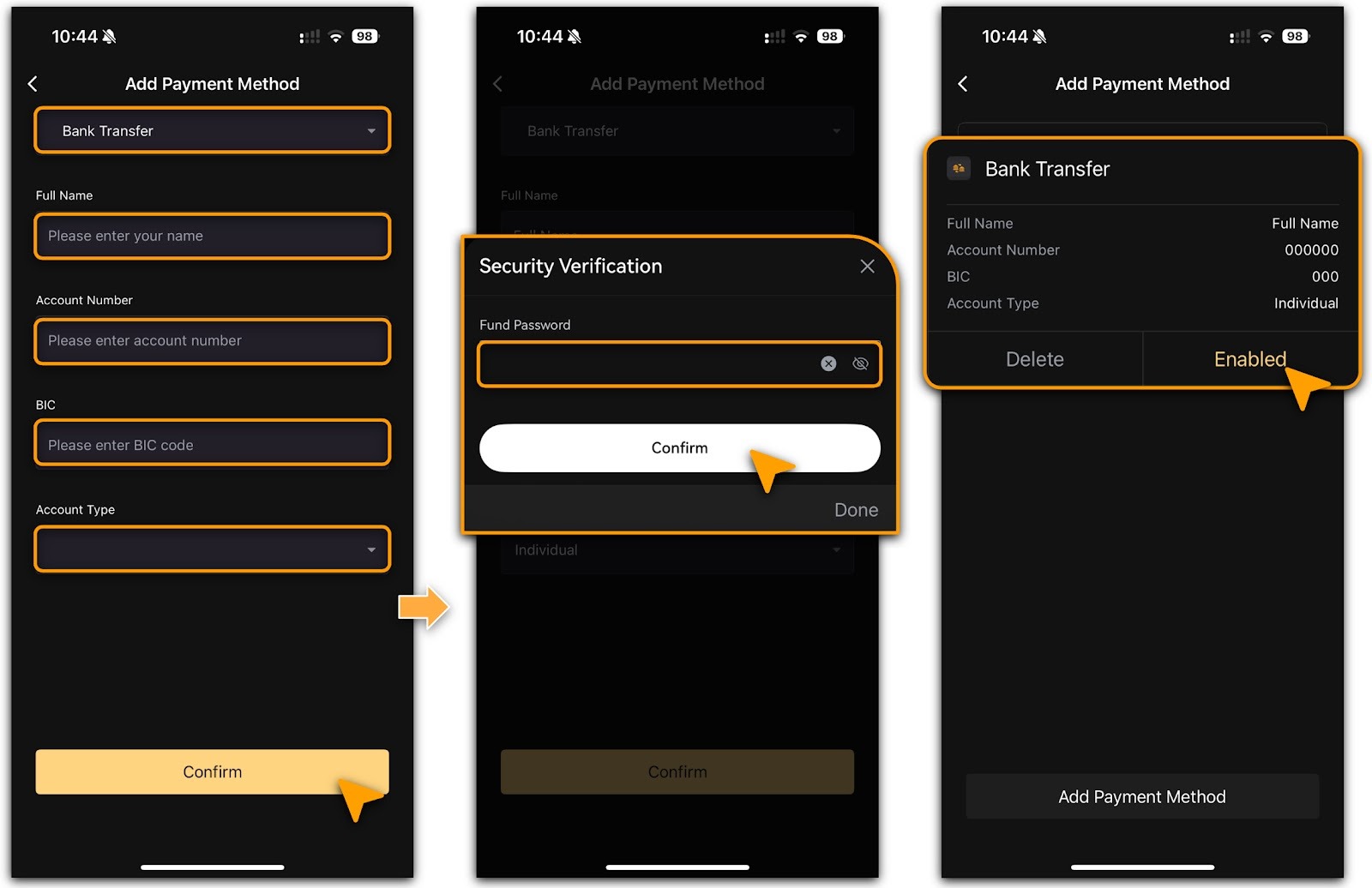
Enter your payment method details and your fund password, tap「Confirm」;
-
Then this newly added payment method will be available immediately.
-
If you want to disable the payment method, tap「Enabled」to execute.
Deleting Payment Method
-
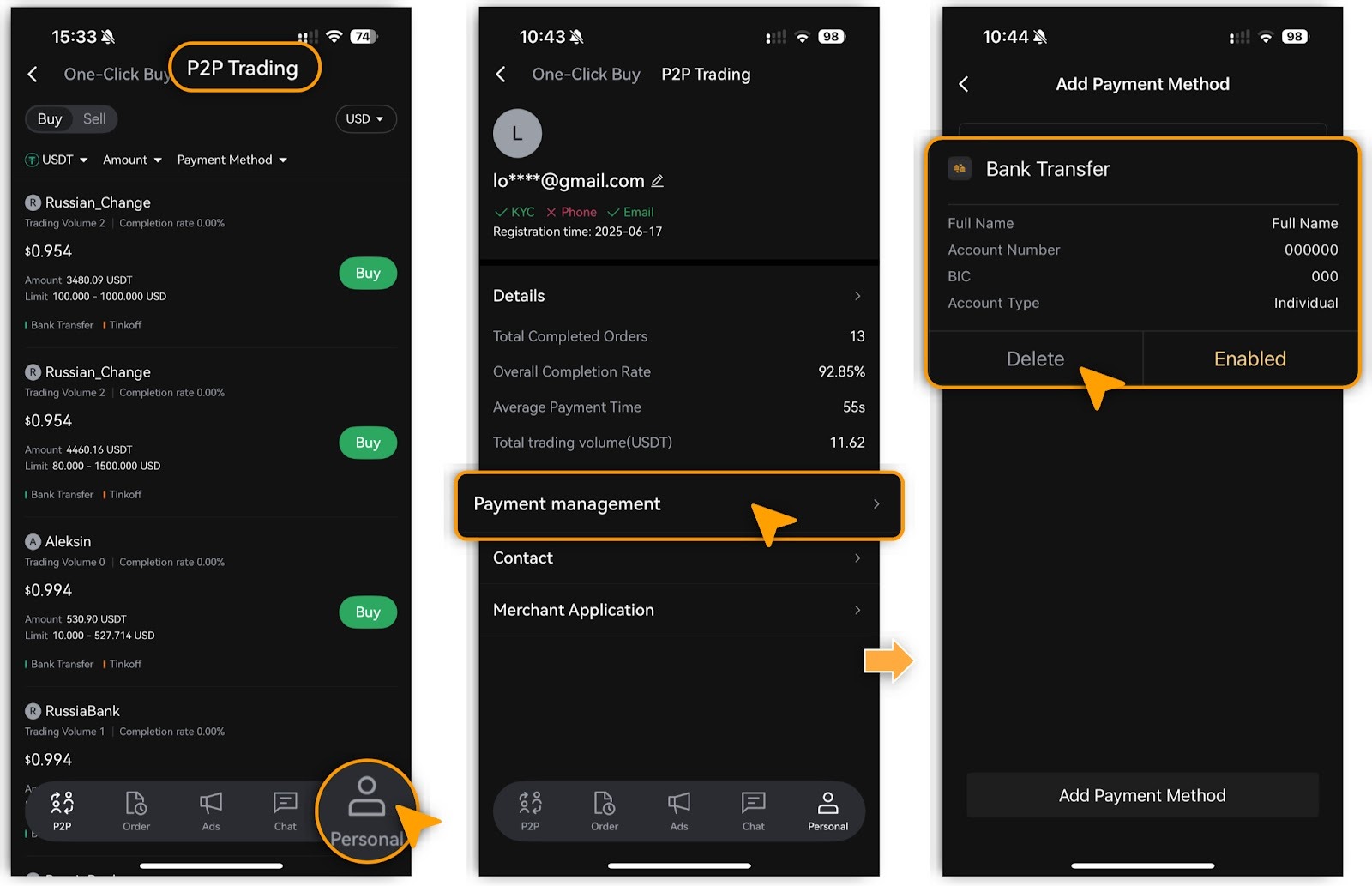
Go to「Buy Crypto」>「P2P Trading」, tap「Personal」;
-
On the「Payment Management」page, select the payment method and tap「Delete」.
Important Notice
You cannot delete a payment method that is associated with an active advertisement.
Web
Adding Payment Method
-
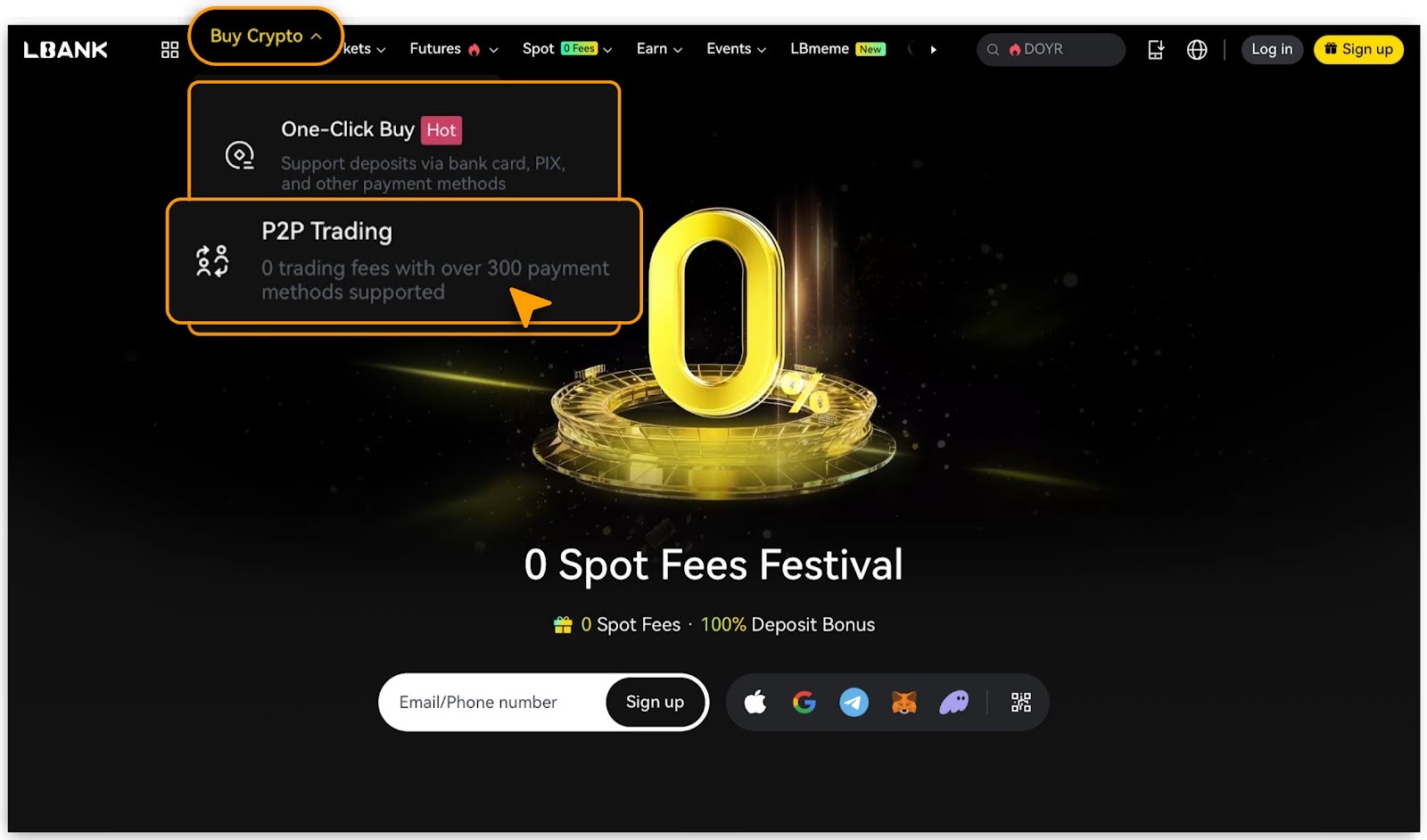
Go to LBank Website and login to your account, tap「Buy Crypto」>「P2P Trading」.
-
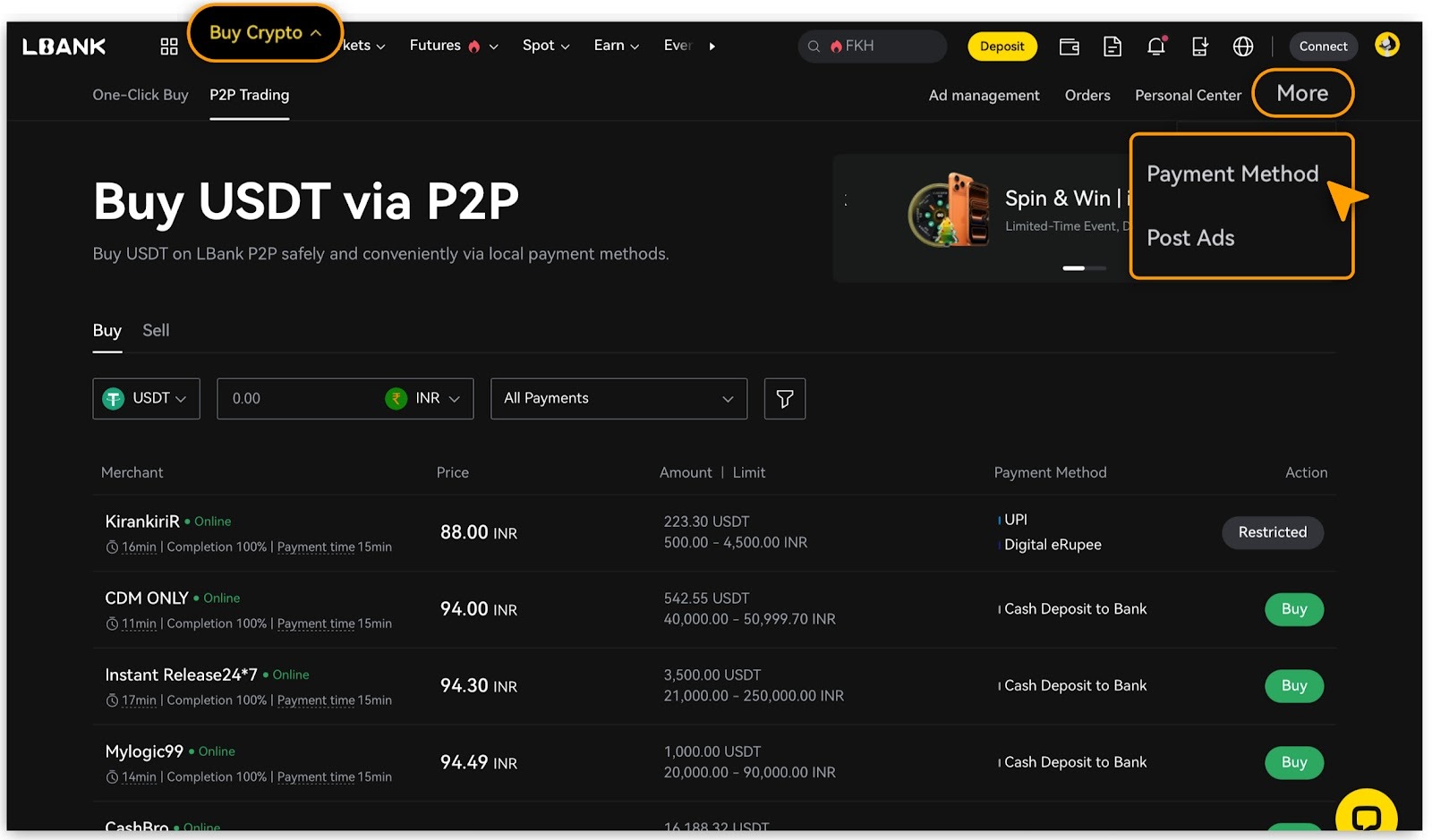
Tap「More > Payment Method」;
-
Current supported payment methods include bank transfers, PayPal, Momo, UPI, and several others.
-
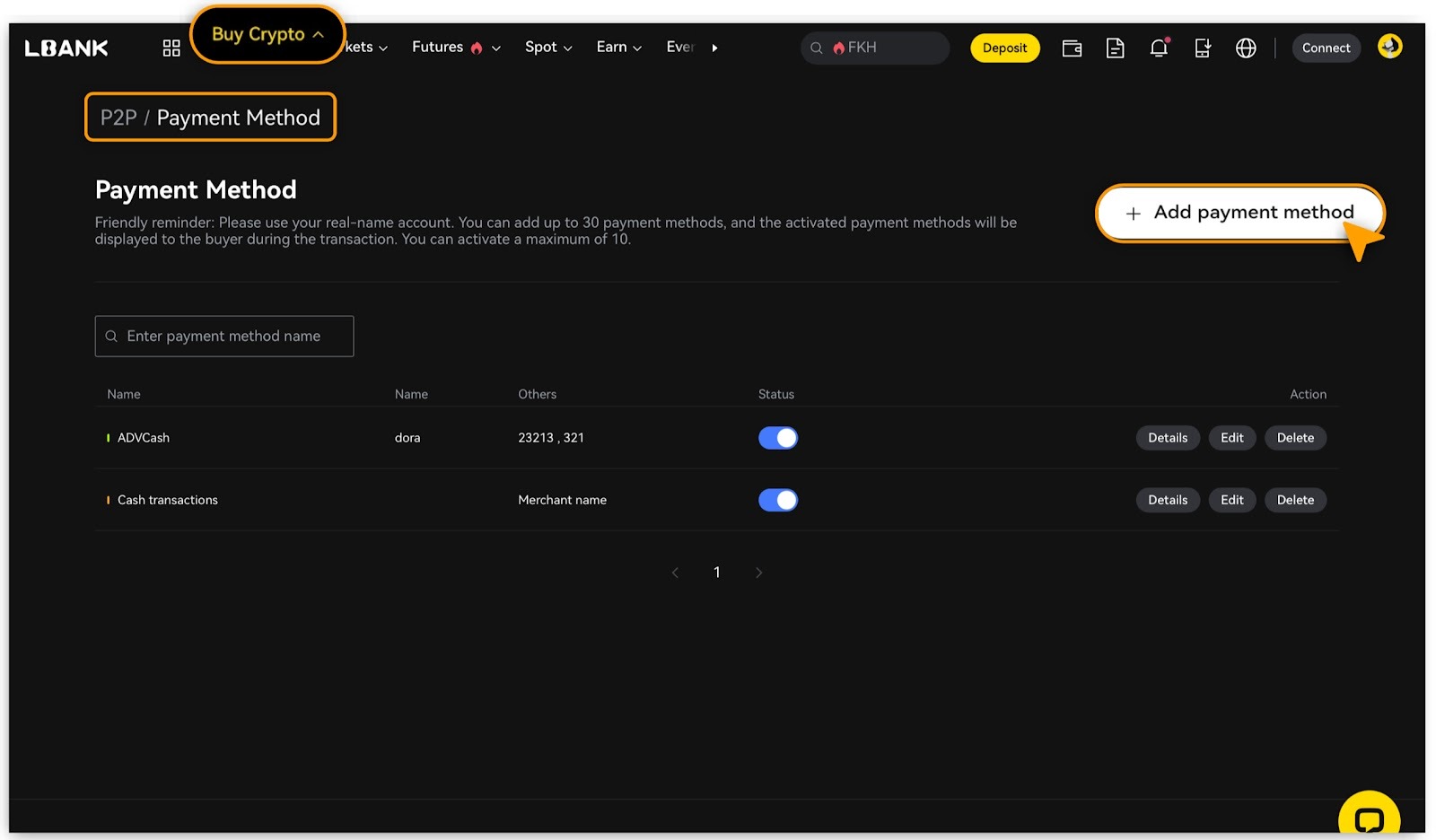
You can add up to 30 payment methods, with a maximum of 10 activated. Activated methods will be displayed to buyers during transactions.
-
Tap「Add payment method」;
-
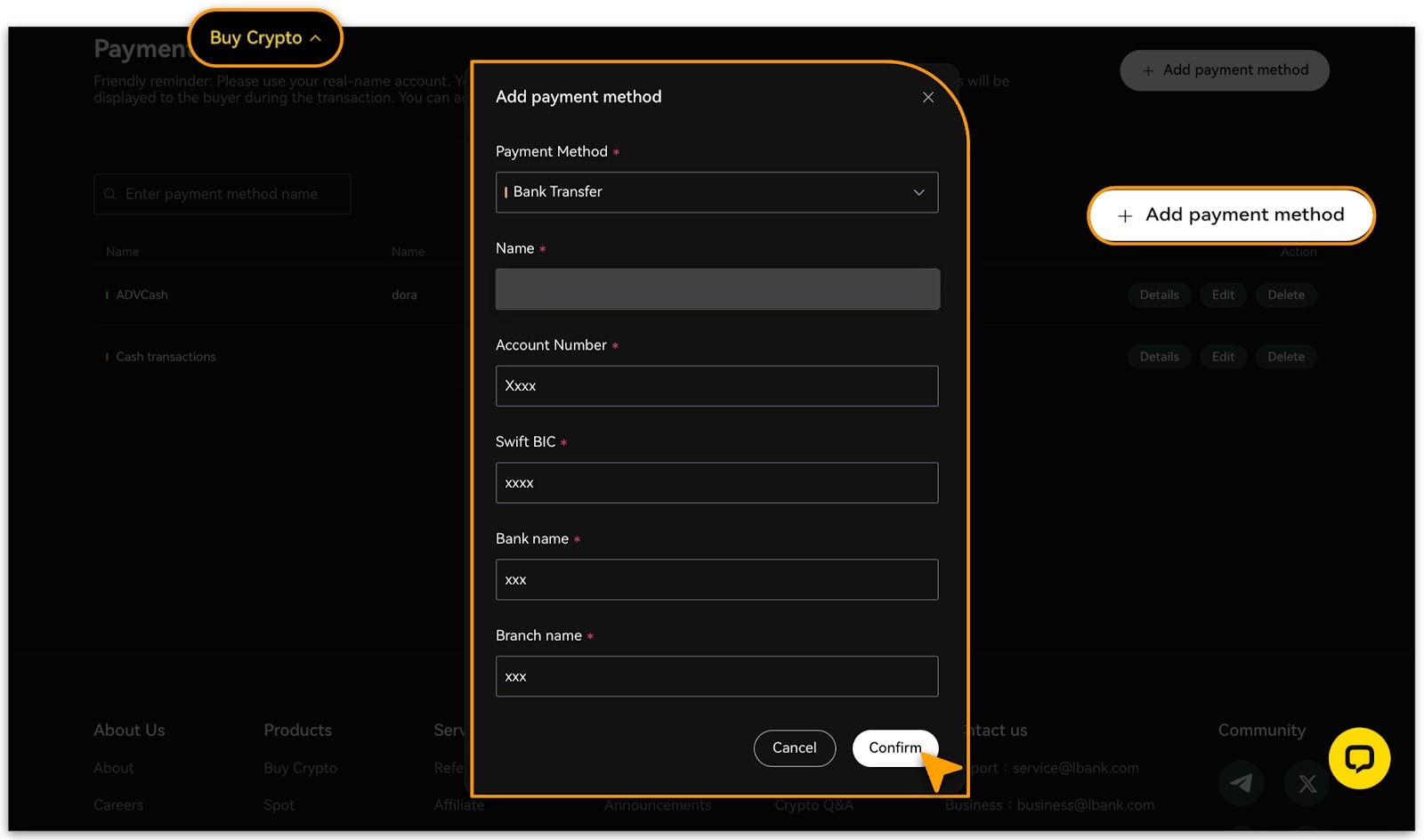
Select a payment method, enter the required information, and tap「Confirm」.
-
Only add payment methods registered in your own name to protect your assets.
Deleting Payment Method
-
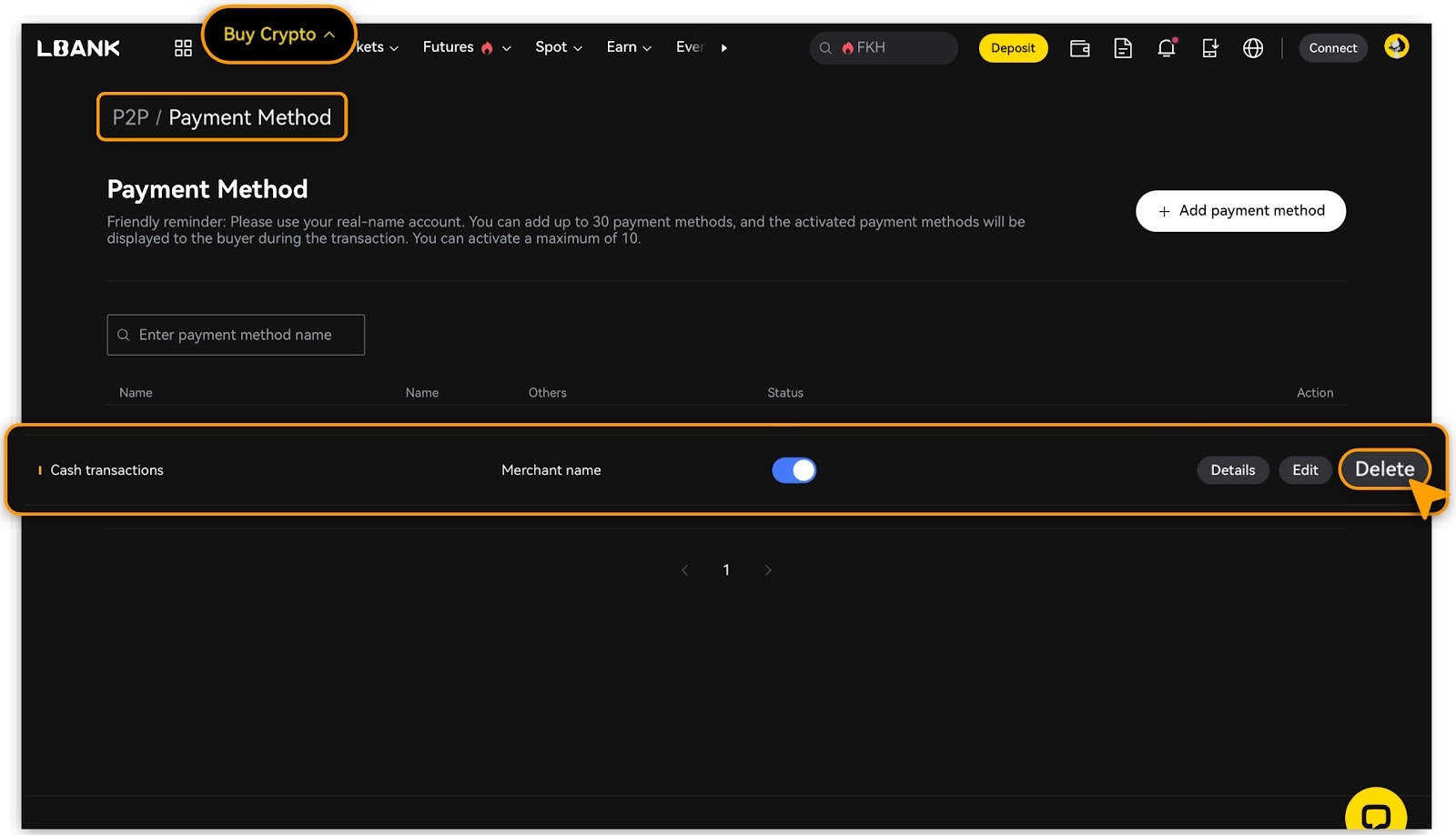
Navigate to「Buy Crypto」>「P2P > Payment Method」;
-
Select the payment method, view「Details」to「Edit」or「Delete」.
-
You cannot delete a payment method that is associated with an active advertisement.
Reminder
Before adding a payment method, ensure you have completed identity verification, bound your phone number, and set a fund password.