

Delisted spot assets are cryptocurrencies whose trading pairs have been officially removed from LBank.
Once a spot trading pair is delisted, all buying and selling functions for that asset on the platform are permanently disabled. Users can no longer trade the asset on LBank. The only supported operation for delisted assets is withdrawal to an on-chain wallet.
How-to Steps
Web
Check Delisted Assets
-
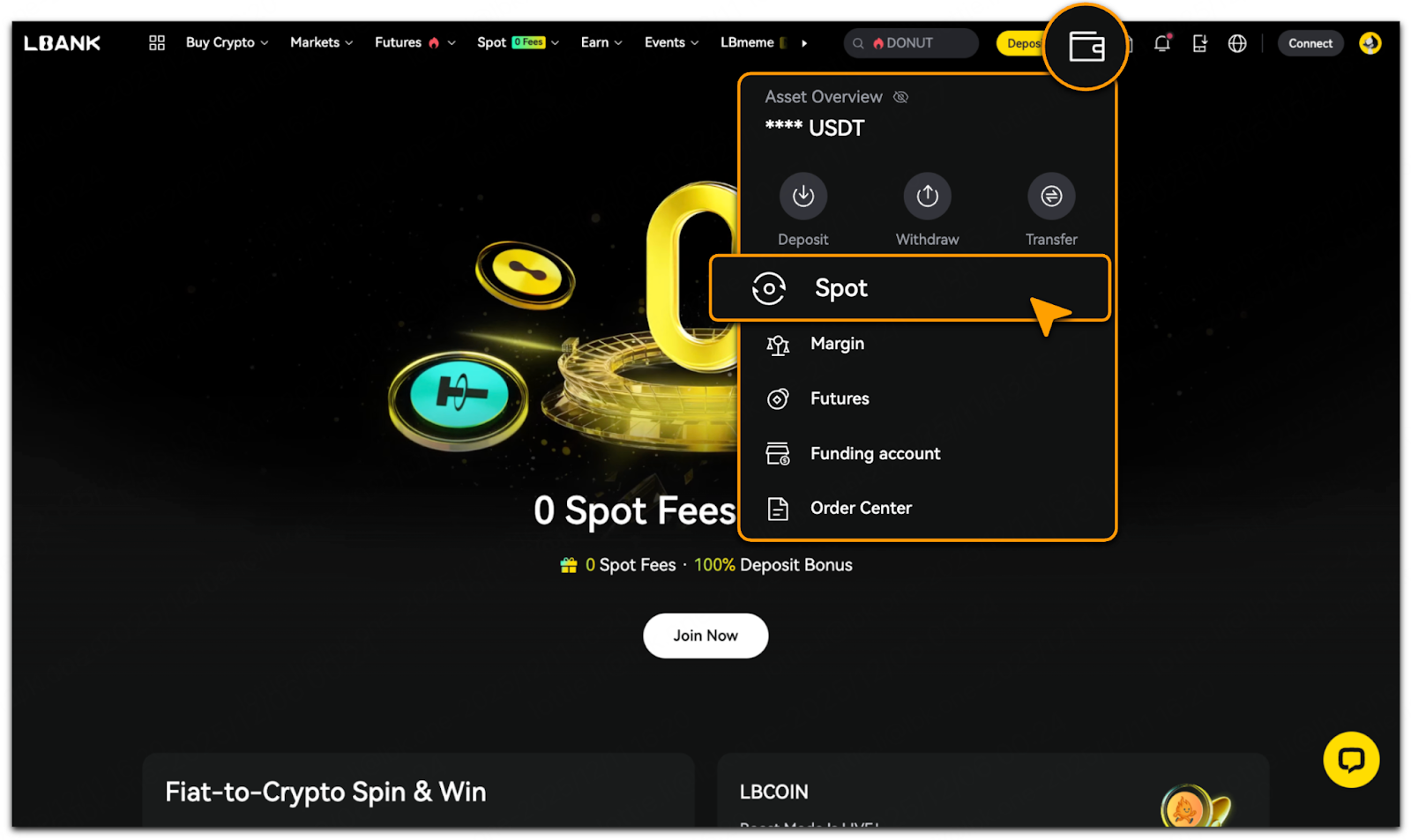
Visit the LBank Official Website;
-
Tap「Assets/Wallet」>「Spot」;
-
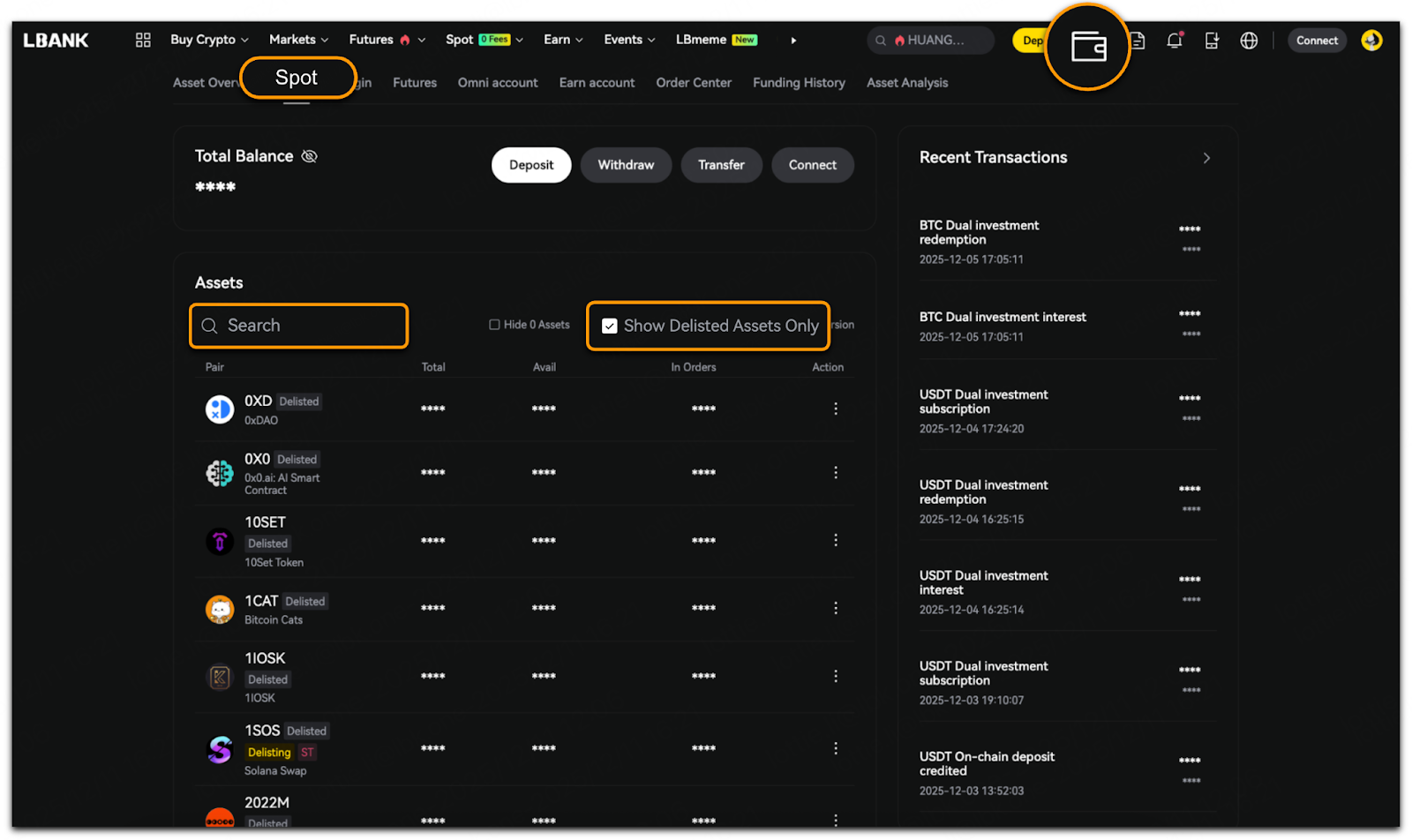
Select「Show Delisted Assets Only」to view all delisted assets;
-
Alternatively, tap「Search」to find specific delisted assets.
Withdraw Delisted Assets
-
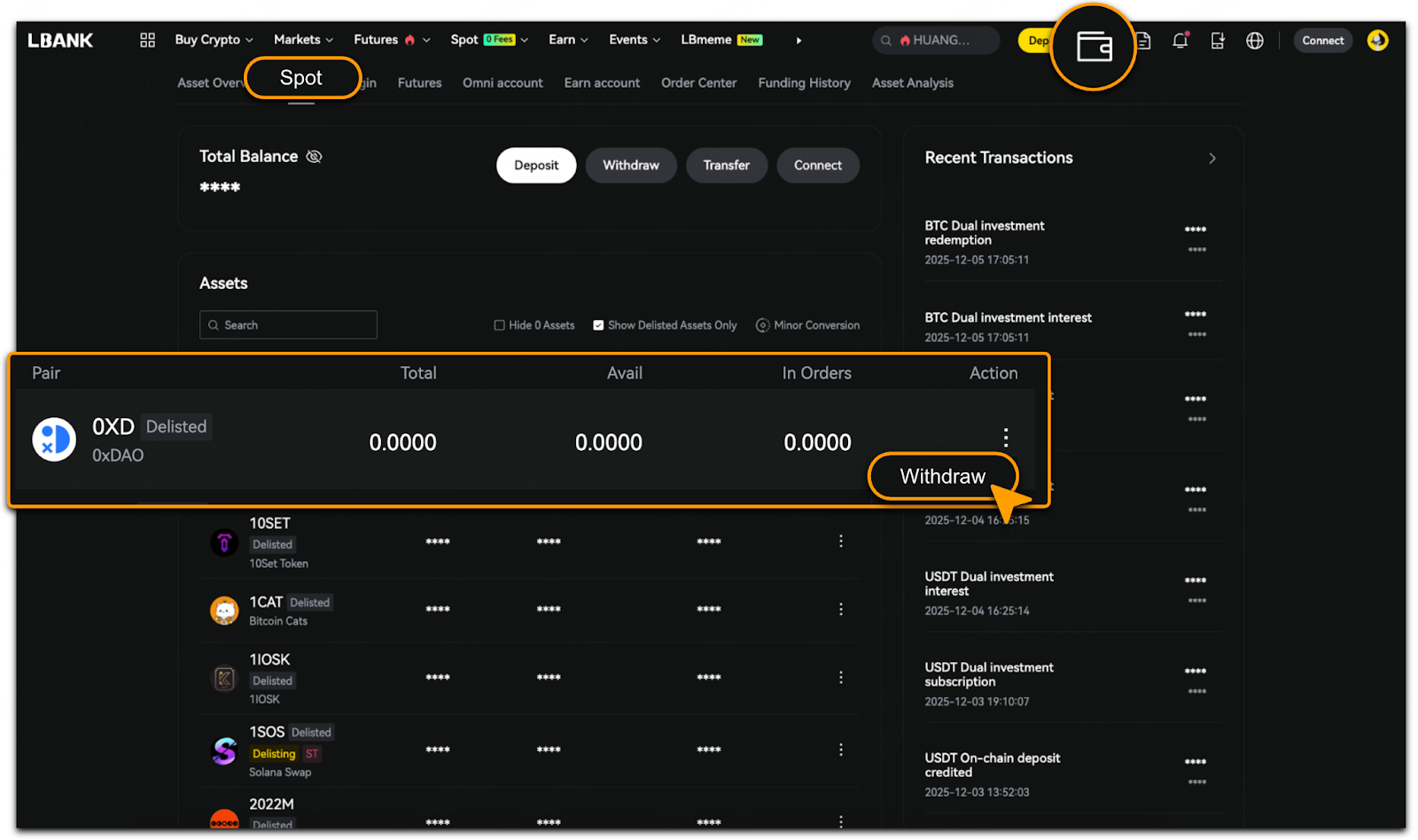
To withdraw, select the delisted asset and tap「Action」button;
-
Tap「Withdraw」;
-
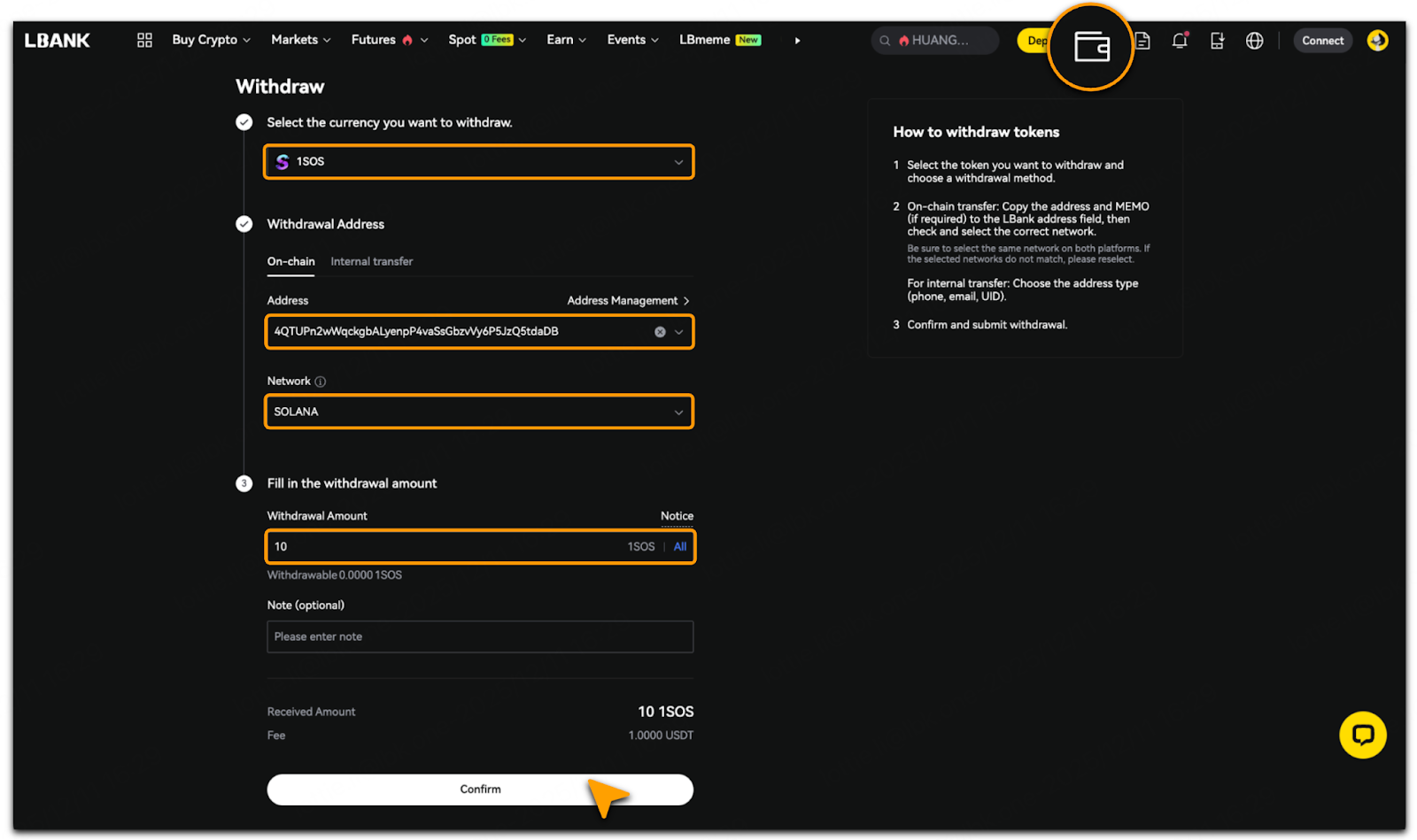
Select「Withdraw Currency」, enter the「Address」,「Network」and「Withdrawal Amount」;
-
Carefully review the details, tap「Confirm」.
App
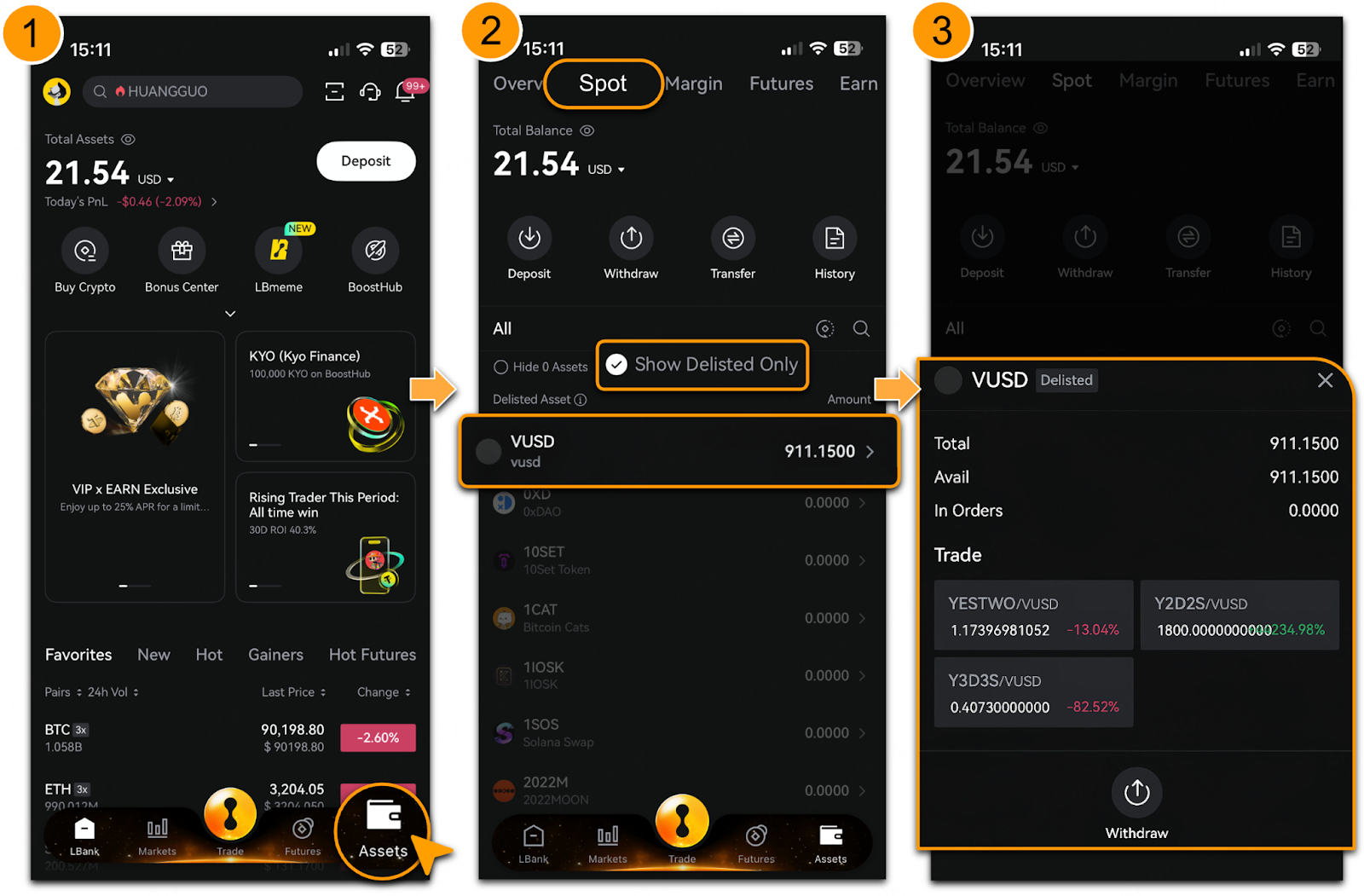
Check Delisted Assets
-
Log in to LBank App;
-
Tap「Assets」>「Spot」;
-
Select「Show Delisted Only」to view all delisted assets;
-
Tap any delisted asset to view its details in the pop-up.
Withdraw Delisted Assets
-
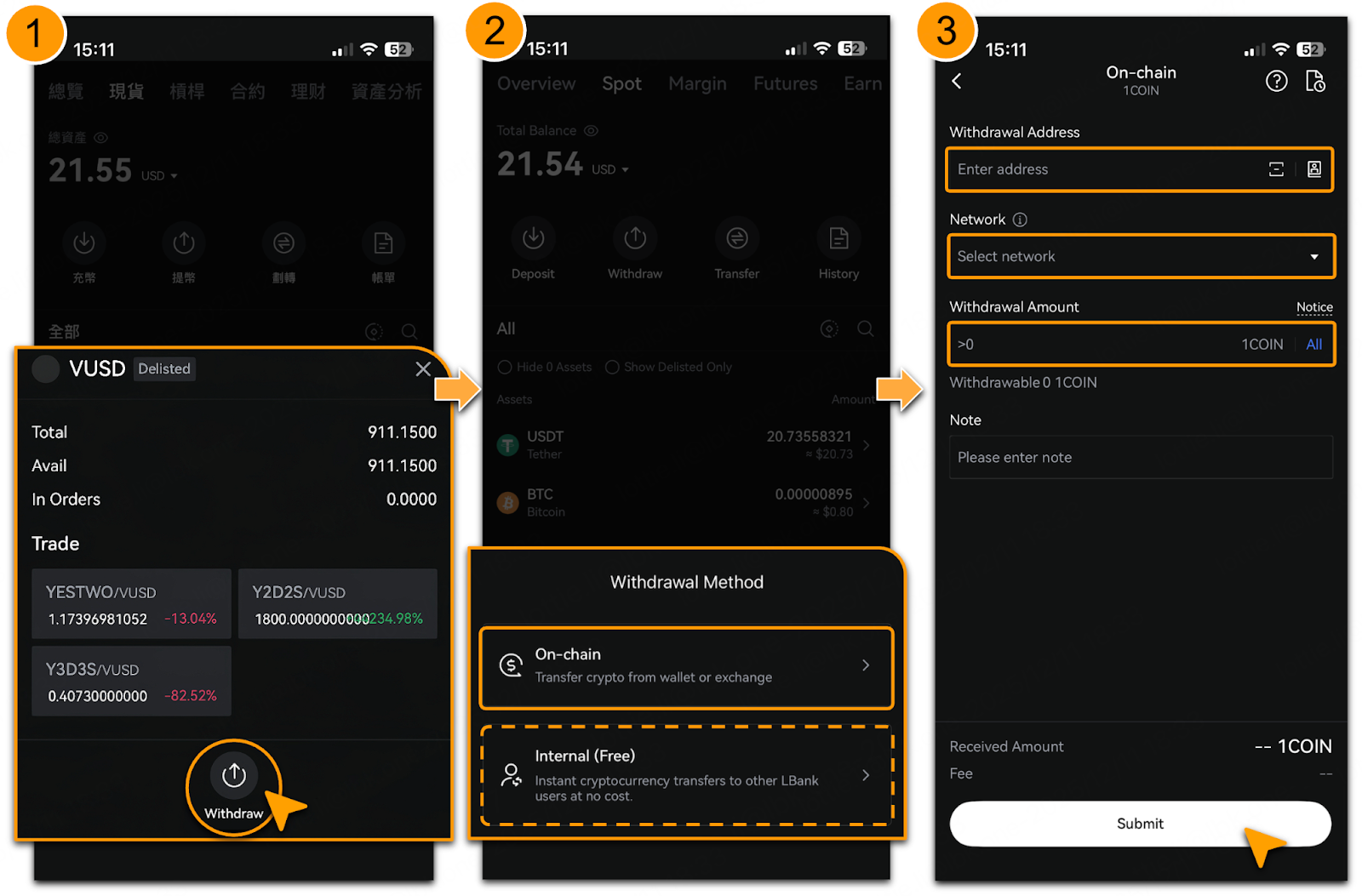
To withdraw, tap「Withdraw」on the delisted asset details page;
-
Select「On-Chain」, enter the「Withdrawal Address」,「Network」and「Withdrawal Amount」;
-
Carefully review all details, tap「Submit」.
-
If the purpose is solely to transfer the delisted asset to another LBank account, select「Internal (Free)」to proceed, no fee is applied.
Notes
-
Delisted Assets Cannot Be Traded: Delisted cryptocurrencies are no longer available for trading on the platform. The only supported operation for these assets is withdrawal to an on-chain wallet.
-
Check Wallet Address and Network: Carefully verify the wallet address and network before withdrawing. Transactions cannot be reversed once confirmed.
-
Withdrawal Limits and Fees: Each asset has a minimum withdrawal limit. Ensure your account has sufficient balance to cover withdrawal fees.
-
For withdrawal delays or failures, please refer to「Reasons for Withdrawal Delays or Suspensions & Solutions」.