

The Marketing Center in LBank’s Affiliate Center brings promotional materials and platform events together in one place. Affiliates can find official guides and brand assets in Promotional Resources, then use the Event Center to access event links, promotional copy, and posters for sharing.
Where to Find These Features
-
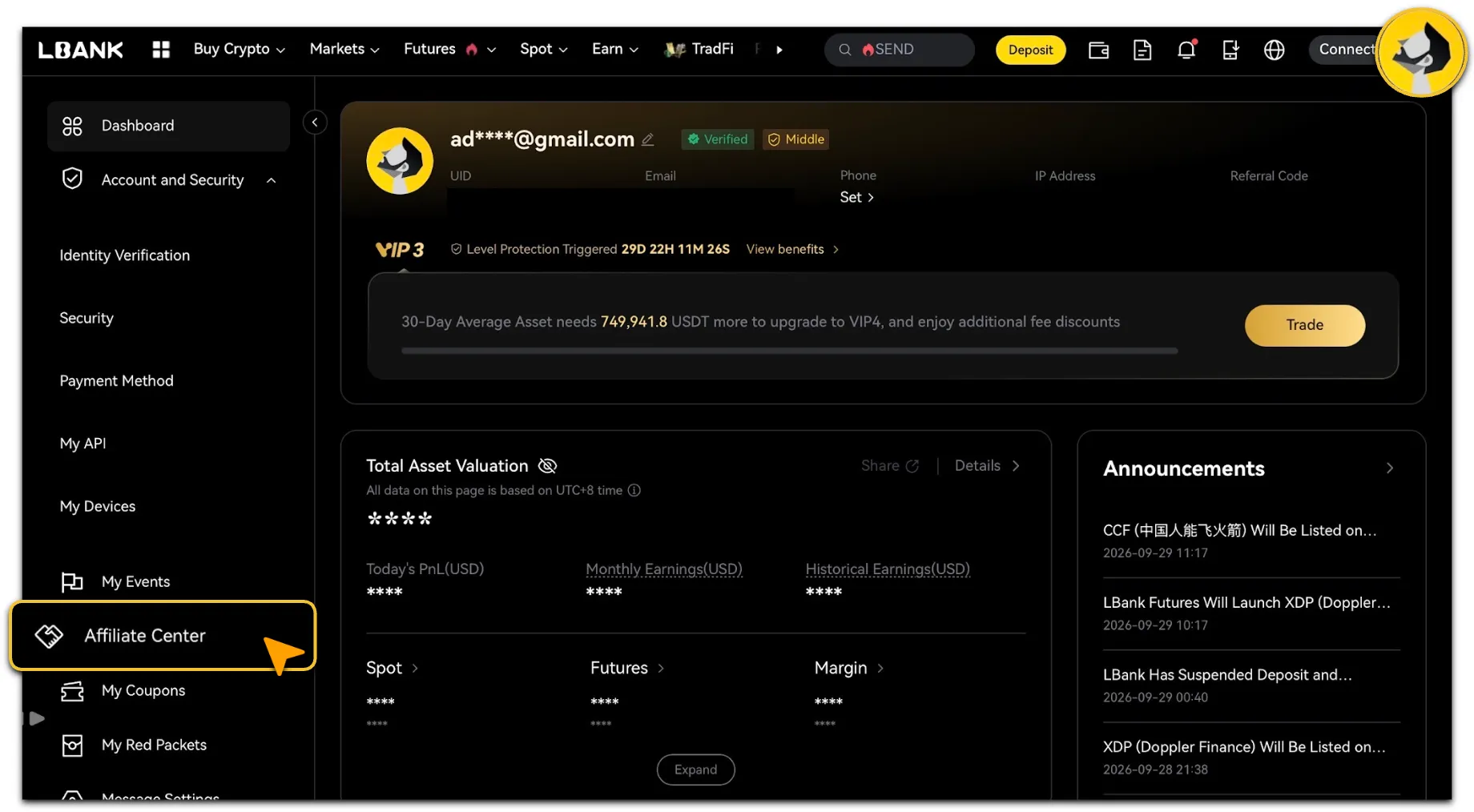
After logging in to LBank Official Website , open your account page and select「Affiliate Center」from the left-hand menu.
-
In the Affiliate Center, expand「Marketing Center」and select「Promotional Resources」 or 「Event Center」.
Promotional Resources
-
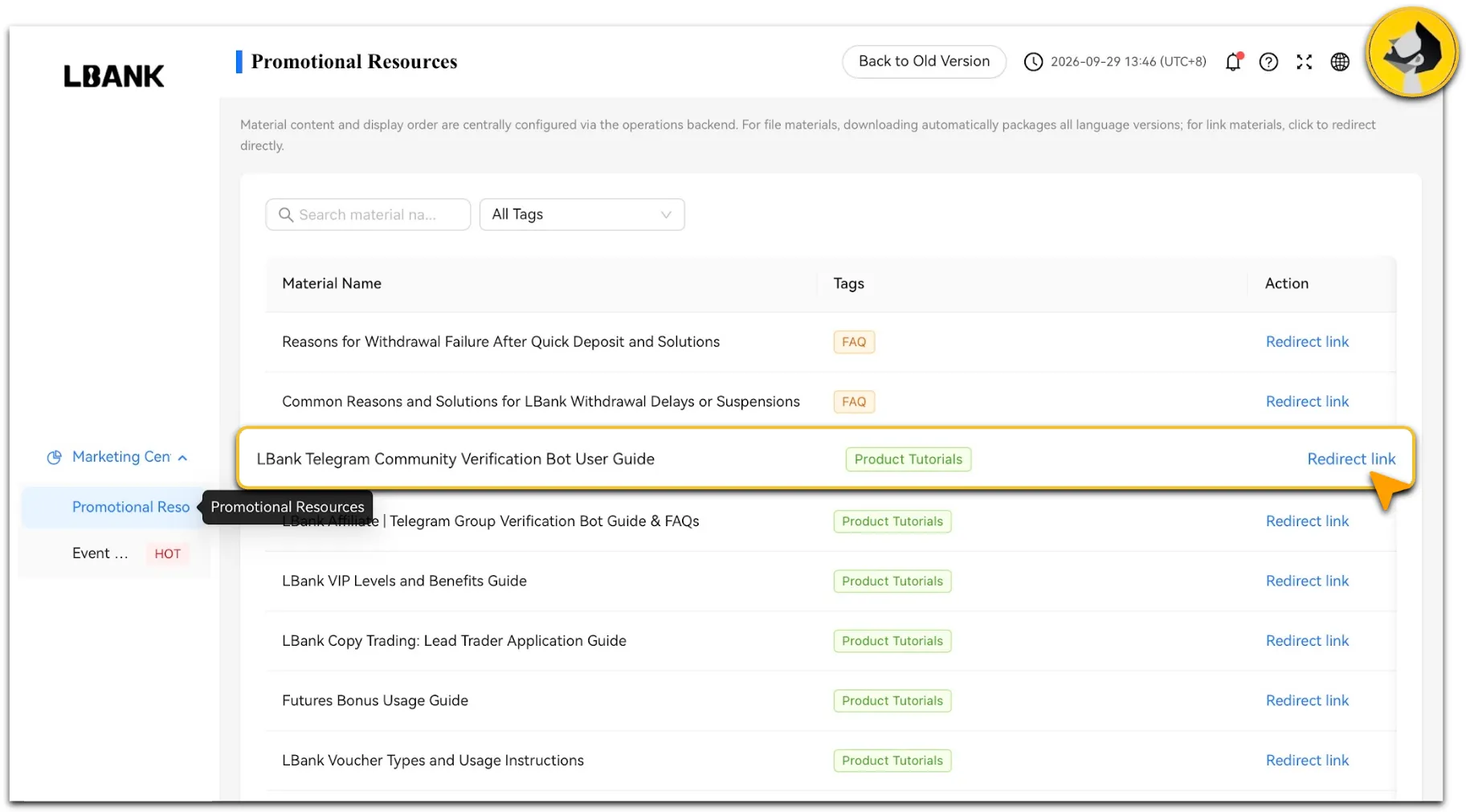
「Promotional Resources」provides official materials under tags such as Affiliate Guides, Product Tutorials, FAQ, and Brand Assets. You can search by material name or filter by tag to find what you need.
-
Materials are available as files or links. Select「Download」to download a file material; all available language versions of that material are packaged into a ZIP file. Select 「Redirect link」to open a link material in a new tab.
Event Center
-
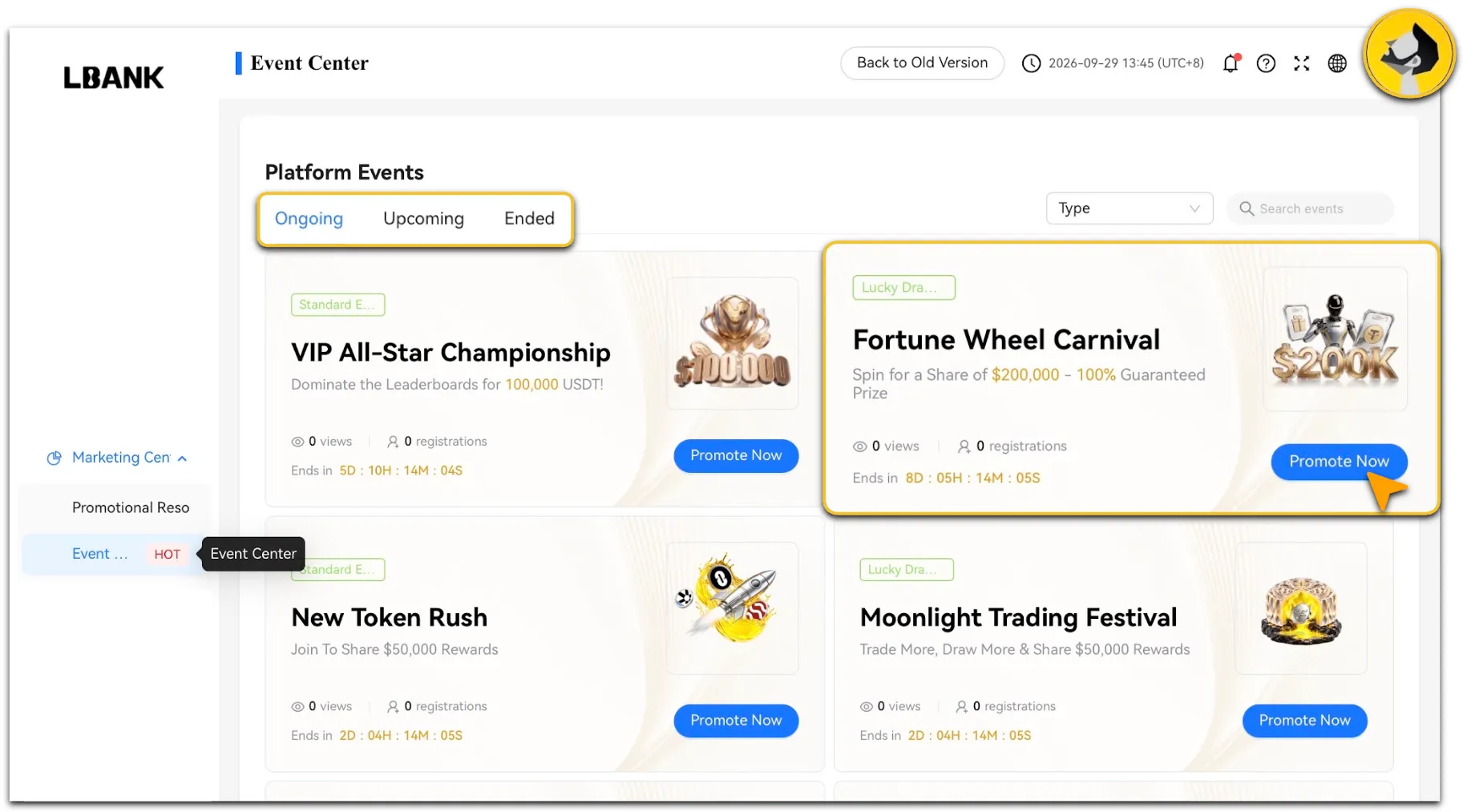
The Event Center displays platform events under “Ongoing,” “Upcoming,” and “Ended.” You can also search by event name or filter by event type. Select an event to view its details and available promotional content.
-
For ongoing and upcoming events, the event details page may include:
-
Event sharing: Select one of your invitation codes, including a sub-channel code, to get the corresponding promotional link. If promotional copy is available, you can choose a language and copy the text together with the link.
-
Event posters: View available language and size options, and download individual posters.
-
Registration page event: Set the event to appear on your affiliate registration page.
Reminder
Sharing and poster sections are available only for ongoing and upcoming events; they are not shown for ended events. If no promotional copy has been configured, you can still copy the promotional link. If no posters have been configured, the poster section will not appear. Before sharing, check the selected invitation code, event status, and promotional content against the event details page.