首頁買幣指南
購買FERMA
FERMA (FERMA)

如何在 LBank 購買FERMA (FERMA)

了解如何在 LBank 購買FERMA (FERMA),內容涵蓋信用卡、簽帳金融卡、Apple Pay 與銀行轉帳等支付方式,以及購買流程、準備事項與常見問題。

第一步
下載LBank App
請下載LBank App 並註冊以開始使用
第二步
為您的帳戶充值
使用您首選的付款方式進行存款。
第三步
選擇您的數字貨幣
從LBank交易所或錢包上提供的 3,000,000+ 數字貨幣中選擇您想購買的貨幣。

購買決策資訊速覽表

信用卡 / 簽帳卡

信用卡 / 簽帳卡

手續費
動態費率
處理時間
通常 1 分鐘內,最長 48 小時
最低購買金額
約 10-15 USD 起
適用地區
視地區、法幣、發卡行及支付通道支援情況而定
銀行轉帳 / 本地轉帳

銀行轉帳 / 本地轉帳

手續費
動態費率
處理時間
視支付方式而定,部分本地通道可更快
最低購買金額
約1-10 USD起
適用地區
視當地支付通道而定

在 LBank 購買 FERMA 的三個簡單步驟

註冊 LBank 帳戶

如何在 LBank 購買 FERMA:支援的付款方式一覽

了解在 LBank 購買 FERMA 可使用的付款方式,包括信用卡、簽帳金融卡、銀行轉帳、Apple Pay、Google Pay、PayPal 與 P2P,幫助您快速選擇適合的 FERMA 購買方式。

信用卡 / 簽帳卡
信用卡 / 簽帳卡
處理時間: 通常 1 分鐘內,最長 48 小時
使用支援國際線上交易的 Visa / Mastercard,確認已開通 3D Secure;失敗後可更換銀行卡或稍後重試
常見失敗原因: 發卡行拒絕加密貨幣交易、餘額不足、3D Secure 驗證失敗、風控攔截、地區或卡組織不支援
銀行轉帳 / 本地轉帳
銀行轉帳 / 本地轉帳
處理時間: 即時至 1-3 個工作日
核對收款帳戶、參考碼和轉帳網路,並使用與實名認證一致的銀行帳戶付款
常見失敗原因: 收款資訊或參考碼錯誤、姓名不一致、銀行處理延遲、轉帳網路不支援

在 LBank 購買FERMA (FERMA)前需要完成哪些準備?

查看在 LBank 購買 FERMA (FERMA) 前需要完成的準備事項,包括註冊帳戶、身份驗證 (KYC)、付款方式、地區可用性與購買前注意事項,幫助您更順利完成 BTC 購買流程。

適合誰
想直接用法幣快速購買 FERMA 的用戶
買前準備清單
註冊並登入帳戶
完成所需 KYC
準備支付方式
確認地區可用,查看限額/手續費/到帳時間
用戶路徑
Buy Crypto

如何在 LBank 上購買FERMA - 逐步指南

在開始之前,請決定您要如何付款:

用法幣支付

如果您是加密貨幣新手,使用法幣(如美元、歐元等)是購買 FERMA 最簡單的方式。LBank 接受各種付款方式,包括簽帳金融卡、信用卡、銀行轉帳,以及可能提供的其他當地付款選項。您可能需要在購買前為您的 LBank 帳戶充值。

用其他加密貨幣支付

如果您已經持有其他加密貨幣,您可以在 LBank 上將它們交易為 FERMA。請確認 LBank 支援您需要的交易對(例如,Bitcoin (BTC)。LBank 提供多種交易對,讓您可以方便地將現有的加密貨幣兌換為 FERMA 。

LBank 支援多種付款方式

您可以使用以下各種付款方式在 LBank 上購買 FERMA:

簽帳金融卡
信用卡
PayPal
Apple Pay
Google Pay

手機應用程式指南

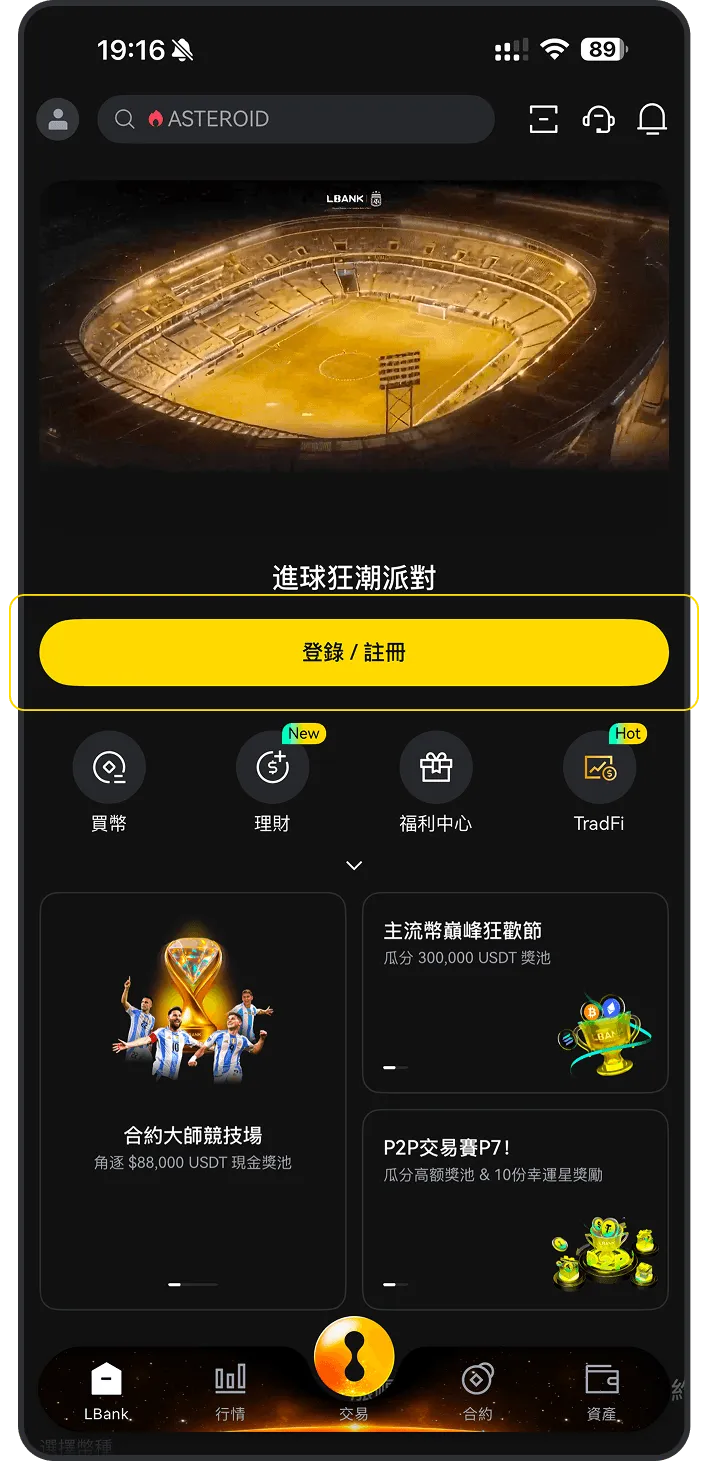
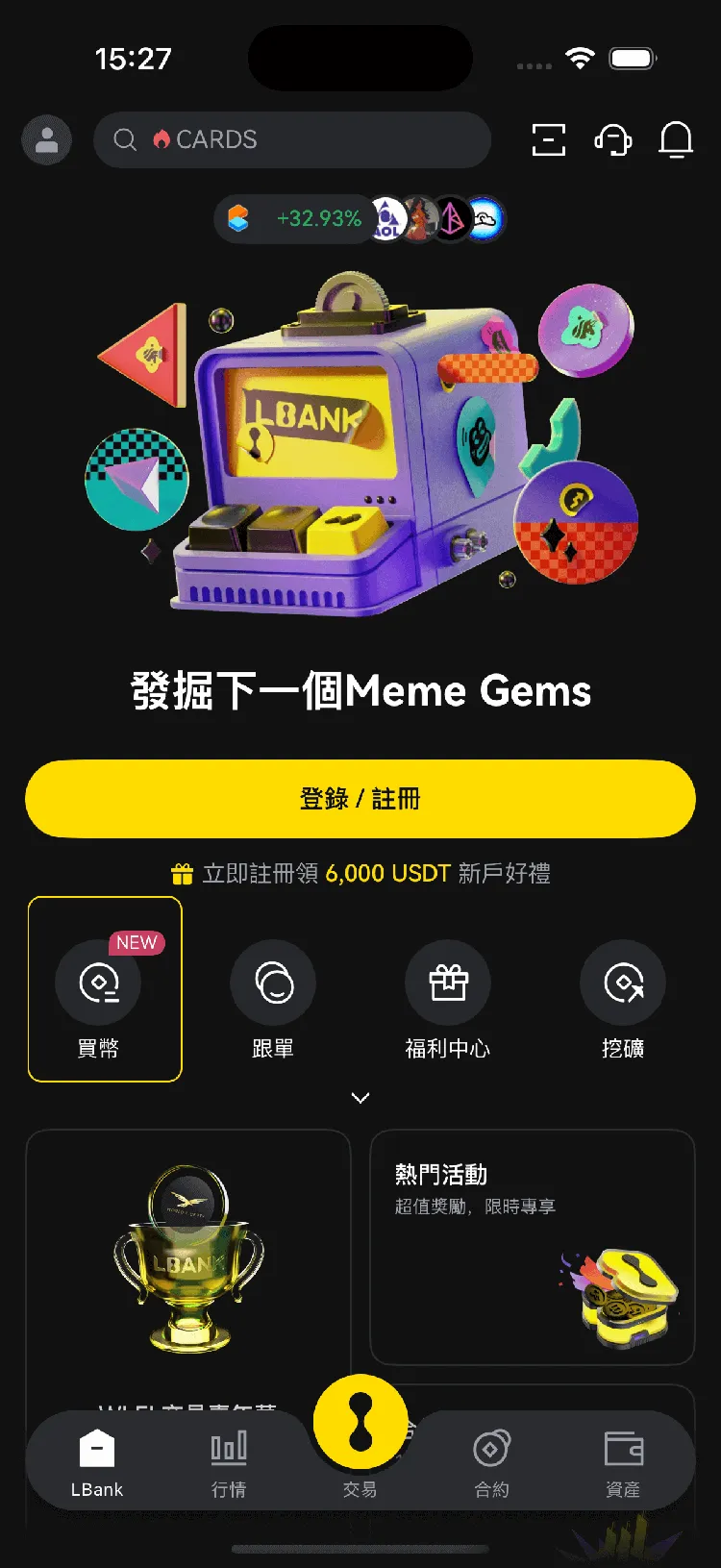
1
打開 LBank 手機應用程式,然後點擊「買幣」
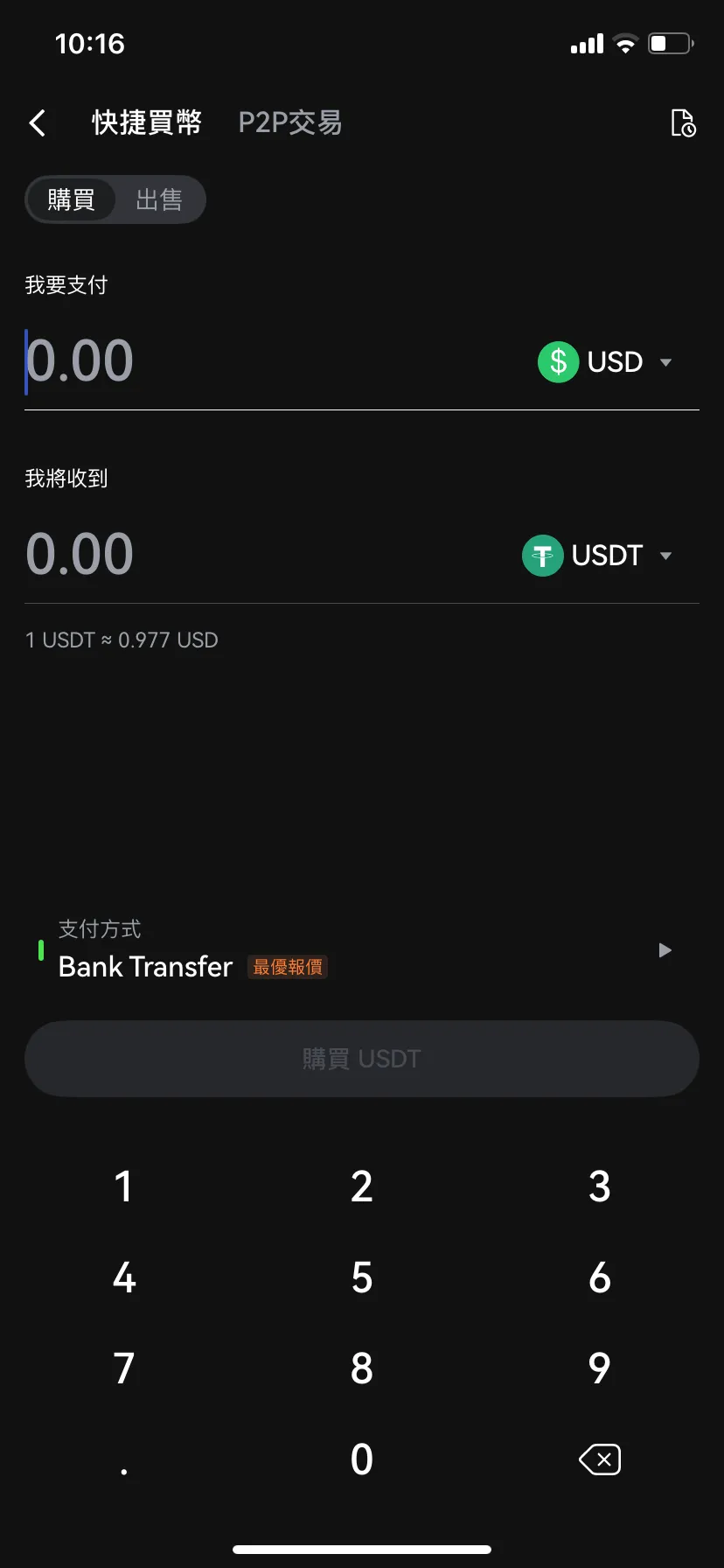
2
選擇「購買」
3
選擇 ,輸入您要使用的法幣,輸入金額,點擊「買入」或「確認」

桌面版指南

1
在您的桌面瀏覽器上登入 LBank,然後點擊「快捷買幣」選項。
2
在「快捷買幣」標籤上:

(a). 選擇您要使用的法幣

(b). 選擇要購買的 FERMA

(c). 輸入金額或使用快速選項(例如,100、100、500、最大值)
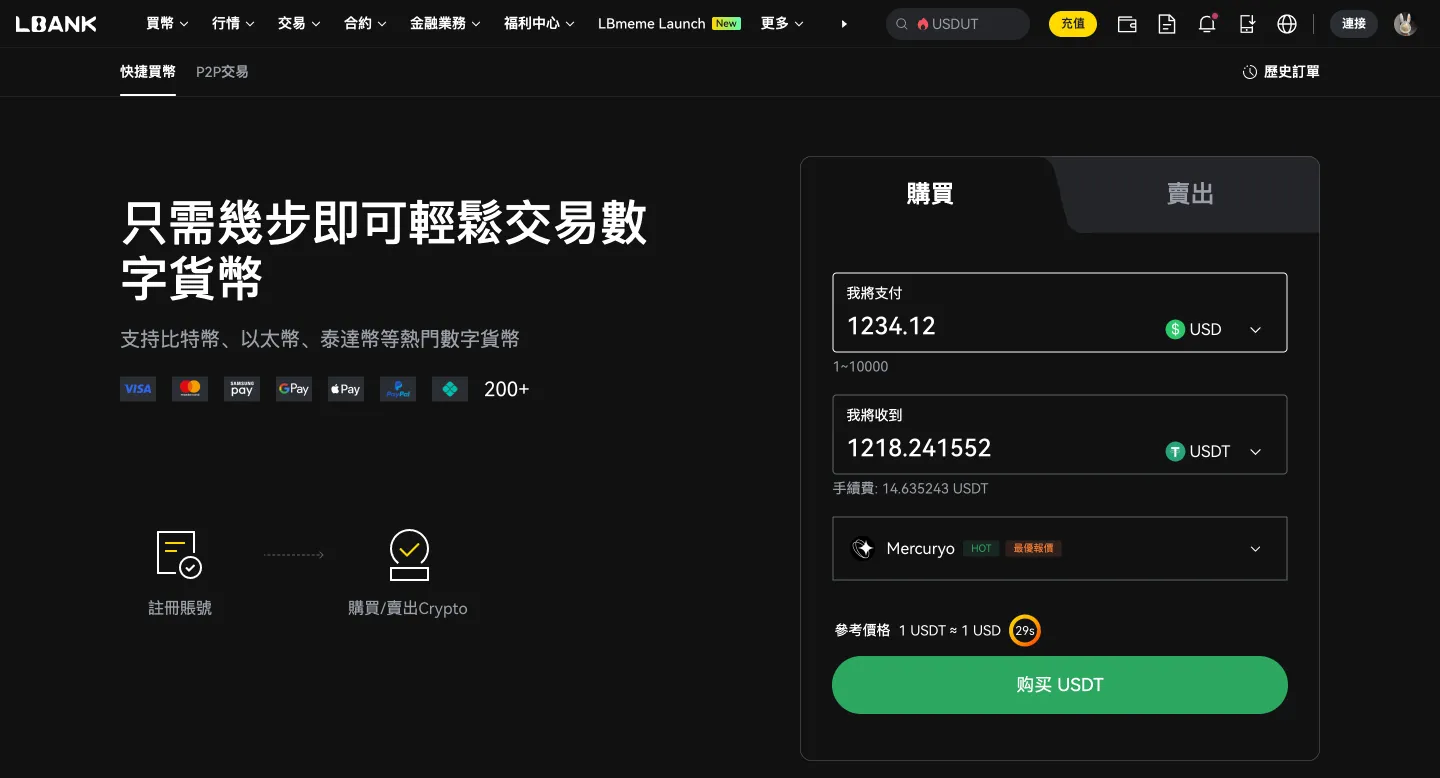
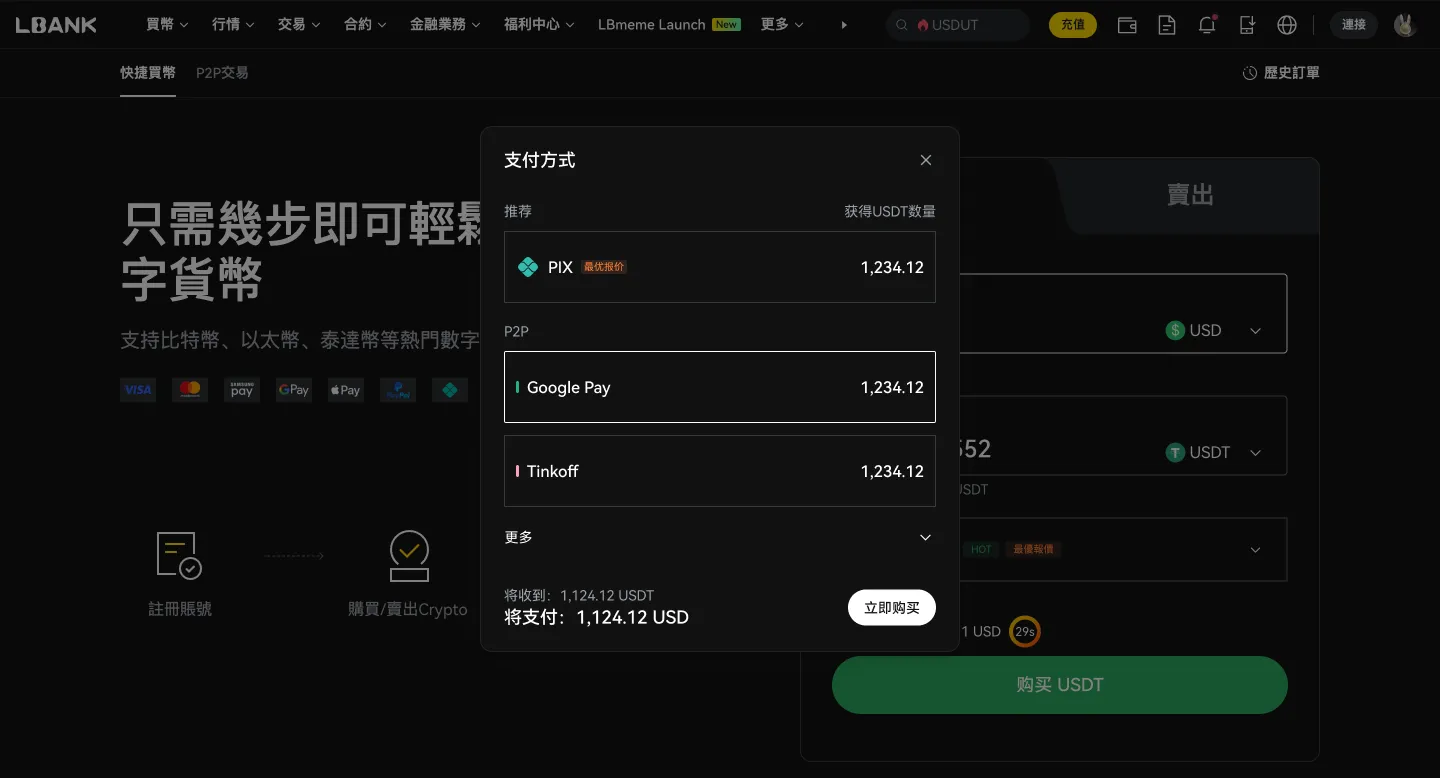
(d). 選擇您的付款方式
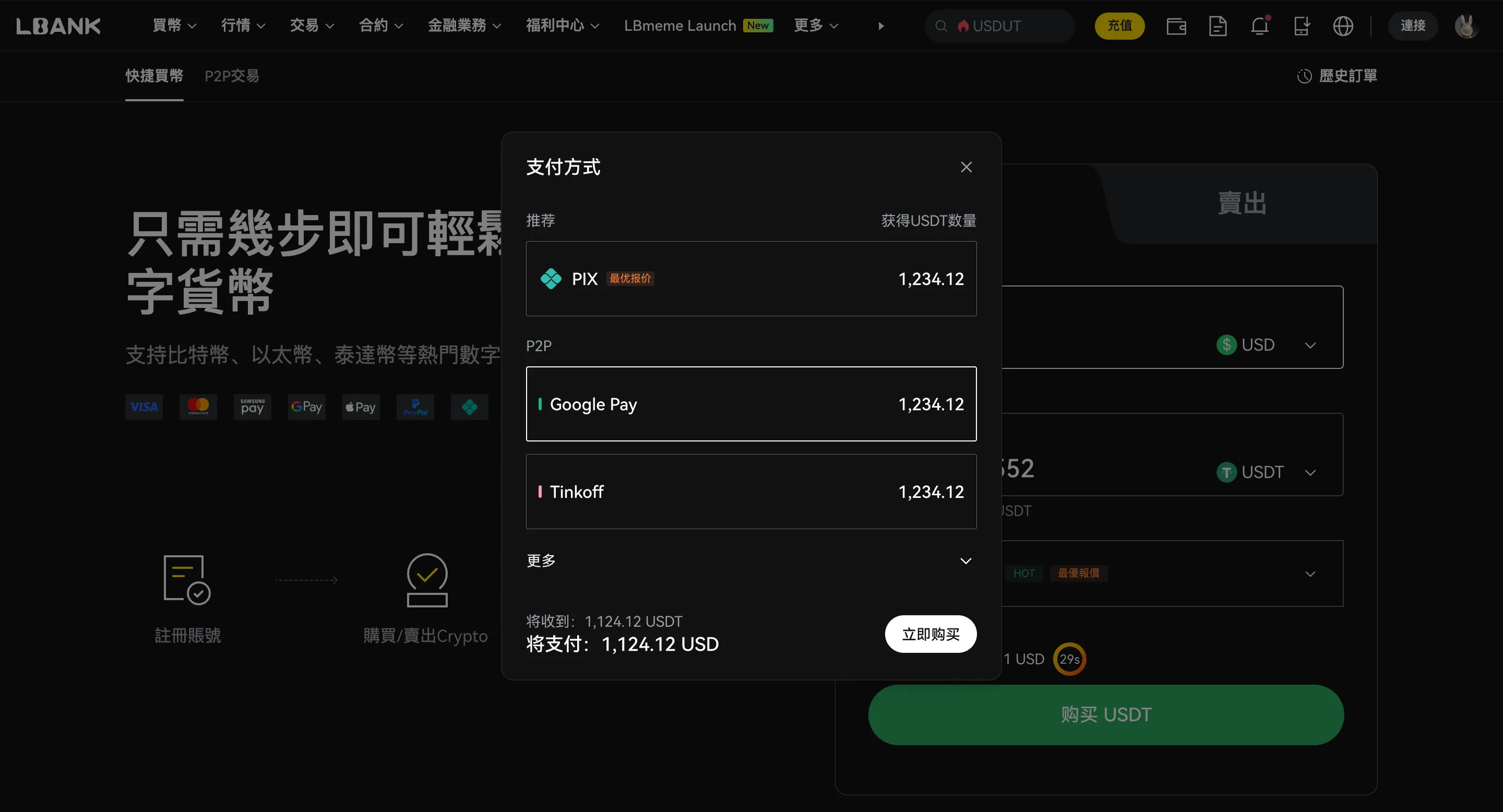
(e). 點擊「確認」或「立即購買」
P2P 交易

商家
單價
數量 | 限額
支付方式
操作
PE
PewPewPow (MYR)
817 min | 100%
0.945 USD
1041.52 USDT
30.000 - 984.236USD
Bank Transfer
US
USER-ZPPA7ULJ
648 min | 100%
1.000 USD
4.00 USDT
1.000 - 4.000USD
Bank Transfer
PA
PAYMENT BY MYR
708 min | 100%
1.000 USD
698.73 USDT
10.000 - 698.000USD
Bank Transfer

什麼是 FERMA (FERMA)?

Ferma is a Web3 project focused on creating a decentralized economic simulation and gaming ecosystem. Its primary utility token, known as FERMA, serves as the central medium for value exchange and interaction within its digital environment. The project is closely linked to an online economic game where participants engage in virtual activities such as farming and business management to navigate a peer-to-peer economy. The token is designed to handle multiple roles within the ecosystem. It is used for in-game transactions, including adding and removing assets, purchasing virtual advertising space, and unlocking specific sections of the application. By integrating blockchain technology, the project aims to provide a transparent and secure way for users to manage their digital assets and participate in a community-driven economy. Beyond its gaming functions, Ferma is positioned as a decentralized finance initiative that utilizes smart contracts to facilitate efficient transactions. The project emphasizes scalability and user experience, working to reduce the complexity often associated with blockchain interactions. Its framework is built to support a decentralized infrastructure where users have direct control over their activities and data without the need for traditional intermediaries. The project development goals include expanding the ecosystem through the launch of new decentralized applications and forming strategic partnerships with other blockchain-based platforms. These initiatives are intended to broaden the utility of the token and foster a more robust peer-to-peer marketplace. Through these efforts, Ferma seeks to provide a user-centric space that rewards participation and supports a diverse range of decentralized services and digital interactions. 瞭解更多

FERMA (FERMA) 是否是一個好的投資標的?

FERMA (FERMA) 是否是一個好的投資標的取決於您個人的財務狀況和風險承受能力。加密貨幣投資具有投機性,價格可能高度波動。
在投資 FERMA (FERMA) 或任何加密貨幣之前,請考慮以下因素:

您的財務目標
您的財務目標
您是尋求短期收益還是長期增長?
您的風險承受能力
您的風險承受能力
您對於損失金錢的可能性有多大的承受度?
多元化
多元化
不要把所有的雞蛋放在同一個籃子裡。將您的投資組合分散到不同的資產類別中。
您的目標和時間範圍
您的目標和時間範圍
加密貨幣最適合長期投資者。免責聲明:這不是財務建議。在做出任何投資決策之前,請進行徹底的研究。

在 LBank 購買 FERMA 的手續費、限額與到帳時間

比較不同支付方式下的手續費、交易限額與預計到帳時間。實際費用與可用性可能因地區、法幣、支付方式及第三方服務商不同而變化,請以下單頁顯示為準。
投資報酬率計算

如果我投資,我的利潤是多少?
投入
$
進入
FERMA
日期
2026-07-03
您將獲得 -- 美元的利潤,即投資報酬率的 --

您可以用 FERMA (FERMA) 做什麼?

投資
購買並持有 FERMA (FERMA),期望其價值隨著時間的推移而增加。
投資
交易
在 LBank 上積極交易 FERMA (FERMA),從價格波動中獲利。
交易
支付
在接受的地方使用 FERMA (FERMA) 支付商品和服務。
支付

為什麼 LBank 是購買 FERMA (FERMA) 的最佳平台?

使用者友善的介面
使用者友善的介面
LBank 提供一個簡單直觀的平台,用於購買和出售 FERMA (FERMA)。
具競爭力的費用
具競爭力的費用
LBank 為 FERMA (FERMA) 提供具競爭力的交易費用。
安全的平台
安全的平台
LBank 採用強大的安全措施來保護您的資金。
多樣的交易對
多樣的交易對
LBank 提供多種 FERMA (FERMA) 交易對選擇。
24/7 客戶支援
24/7 客戶支援
LBank 提供客戶支援,以協助您解決任何問題或疑問。
手機應用程式
手機應用程式
使用 LBank 手機應用程式隨時隨地交易 FERMA (FERMA)。
高流動性
高流動性
LBank 為 FERMA (FERMA) 交易提供出色的流動性,確保您可以輕鬆買賣您的加密貨幣資產。
監管合規
監管合規
LBank 遵守其營運所在司法管轄區的所有監管要求,確保合規和安全的交易環境

買到 FERMA 後,怎麼存放更合適?

買到 FERMA 後,可以根據使用頻率、持有週期與安全需求,選擇不同的存放方式。如果你需要隨時交易,可先存放在 LBank 帳戶;如果更重視自主管理或長期安全,則可考慮個人錢包或硬體錢包。

存放在 LBank 帳戶

存放在 LBank 帳戶

適合誰
想隨時交易或兌換的用戶
短期持有 BTC 的用戶
特點
買入後可直接使用,操作更方便
適合頻繁交易、轉換或繼續使用平台功能
安全提醒
請開啟 2FA
設定防釣魚碼
僅透過官方入口登入帳戶
轉到個人熱錢包

轉到個人熱錢包

適合誰
希望自己管理資產的用戶
需要日常轉帳或鏈上使用的用戶
特點
使用更靈活,方便日常收發與管理
更適合小額持有與日常使用場景
安全提醒
不要將助記詞或私鑰保存在雲端
不要透過聊天工具、郵件或截圖保存敏感資訊
留意釣魚網站與假錢包 App
轉到硬體錢包

轉到硬體錢包

適合誰
長期持有 BTC 的用戶
更重視安全性的大額持有者
特點
私鑰離線儲存,安全性通常更高
更適合長期存放,不常移動的資產
安全提醒
妥善離線備份助記詞
不要向任何人透露恢復短語
遺失助記詞後,資產可能無法恢復

FERMA (FERMA) 常見問題

Ferma, originally known as Ferma Sosedi, is a long-standing multiplayer economic strategy game that has been active since 2011. It has recently transitioned into the modern Web3 and Telegram "tap-to-earn" ecosystem. The project utilizes the FERMA token on the BNB Smart Chain, allowing players to manage virtual farms and earn rewards through gameplay. By bridging a decade-old browser game with blockchain technology, it provides a familiar farming simulation for both veteran players and new crypto enthusiasts.
The FERMA token serves as the central utility asset within the game's ecosystem. Players use it to purchase essential items such as animals, seeds, and production factories. It is also the primary currency for paying for in-game advertisements, making deposits, and processing withdrawals. Furthermore, the token is required to participate in the project's internal market, facilitating the exchange of virtual goods and services between players within the digital economy.
The "Daily Combo" is a popular mechanic where players must identify a specific sequence of three cards to unlock exclusive daily rewards. This sequence changes every 24 hours. To find the correct combination, users typically check official community channels on Telegram or social media. If a code does not work, ensure the application is refreshed and verify that the combo for that specific day has not already expired.
To ensure security and avoid fraudulent tokens, users should only use the official contract address when adding FERMA to their wallets. The token operates on the BNB Smart Chain (BSC). The official contract address is: 0x6aa150fff813e0bec1273691f349ad080df7216d. Always verify this address through official project documentation before performing any transactions or importing the token into your digital wallet to ensure you are interacting with the legitimate project.
To withdraw FERMA, players must meet the minimum withdrawal limit specified within the game interface. Processing typically occurs within a 24-hour window. Once the tokens are in your wallet, they can be traded on LBank or supported decentralized exchanges. When trading or moving funds, ensure your wallet is connected to the BNB Smart Chain to facilitate the transfer of assets between your game balance and your exchange account.
Adding FERMA to a Web3 wallet is a straightforward process. First, ensure your wallet is set to the BNB Smart Chain (BSC) network. Select the option to "Import Tokens" or "Add Custom Token" within your wallet interface. Paste the official contract address (0x6aa150fff813e0bec1273691f349ad080df7216d) into the designated field. The wallet should automatically populate the token symbol and decimals. Confirm the addition to view your FERMA balance directly in your wallet.

如何購買其他加密貨幣資產