Can I Pay with Crypto in Stores Using LBank Pay?
Yes, LBank Pay offers a convenient way to pay with cryptocurrency in physical stores, bridging the gap between your digital assets and everyday shopping needs. This crypto payment service, designed by LBank, provides a secure, efficient, and seamless experience for making in-store purchases using your crypto holdings.
The Promise of In-Store Crypto Payments
Imagine a future where your digital assets are not just investments, but a practical means of payment for your daily coffee, groceries, or even new electronics. Crypto payments, like those facilitated by LBank Pay, offer several advantages over traditional methods. These include enhanced security, greater control over your funds, and the potential for faster, more transparent transactions. By enabling in-store crypto payments, LBank Pay helps move us closer to a future where digital currencies are truly integrated into the global economy.
Getting Started with LBank Pay for In-Store Spending
Before you can start spending your crypto in-store with LBank Pay, there are a few straightforward steps to ensure you're ready.
Essential Preparations for LBank Pay
To utilize LBank Pay, you'll need to complete the following:
- Download the LBank App: Ensure you have the official LBank application installed on your mobile device, available on the App Store or Google Play. Register or log in to your account.
- Complete KYC Verification: For full functionality and to unlock higher transaction limits, it's advised to complete the Know Your Customer (KYC) verification process within your LBank account. KYC is a mandatory regulatory requirement designed to prevent financial crimes and ensure platform security.
- Confirm Feature Availability: LBank Pay is available in specific regions and for eligible accounts. The system automatically detects and enables the feature if conditions are met. If not, the LBank Pay option might not appear or will display as "Service Unavailable."
Funding Your LBank Pay Wallet with USDT for Purchases
LBank Pay primarily uses USDT (Tether) for payments. Therefore, you'll need to ensure you have a sufficient balance of USDT in your LBank account's spending wallet. If you don't have USDT, you can acquire it directly through the LBank platform using various payment methods like credit/debit cards, bank transfers, Apple Pay, or Google Pay. These payment methods allow you to convert fiat currency into USDT, which is then credited to your LBank account.
How to Use LBank Pay for In-Store Purchases
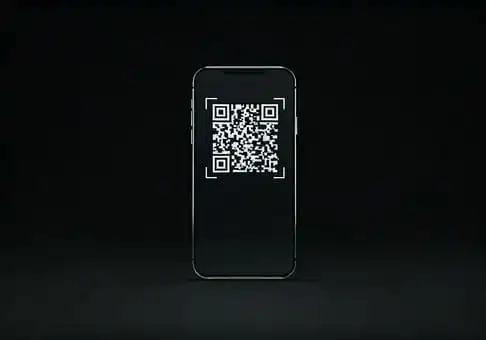
Once your LBank Pay is set up and funded, spending crypto in a physical store is designed to be as simple as scanning a QR code.
The Scan-to-Pay Process with LBank Pay
When you're ready to make a purchase at a participating merchant:
- Tap the 'Scan' Icon: Open your LBank App and look for the 'Scan' icon, usually located in the top-right corner of the homepage.
- Scan the Merchant's QR Code: Align your phone's camera with the merchant's payment QR code. LBank Pay supports two main scenarios for QR code payments:
- Fixed-amount codes: If the merchant provides a QR code for a specific amount (e.g., for a fixed-price item), the payable amount will automatically display after scanning.
- Variable-amount codes: For purchases where the amount varies (like a grocery bill), the payment page will open with a blank amount field. You will then manually enter the payable amount.
- Confirm Payment Details: Before finalizing, double-check the amount and the merchant details displayed on your screen.
Confirming Your LBank Pay Transaction
After verifying the details, you'll typically need to authorize the transaction within your LBank App, often with a PIN or biometric authentication. The payment will then be processed, and the equivalent USDT will be deducted from your balance. The merchant will receive their payment, often converted to their preferred local currency, and you'll receive a confirmation of your purchase.
Key Advantages of Using LBank Pay for In-Store Crypto Payments
Using LBank Pay for your in-store purchases offers several compelling advantages:
- Convenience: There's no need to convert your crypto to fiat currency before shopping. You can spend directly from your LBank account.
- Security: Leveraging blockchain technology, crypto transactions offer a high level of security. Your LBank account also uses industry-standard security features.
- Financial Control: You maintain direct control over your digital assets, managing your spending directly from your LBank App.
- Transparency: All transactions are recorded on the blockchain, providing a transparent and immutable record of your spending.
Tips for a Smooth LBank Pay In-Store Payment Experience
To make the most of LBank Pay and ensure smooth transactions, consider these tips:
- Maintain Sufficient USDT: Always ensure your LBank account has enough USDT to cover your purchases to avoid payment failures.
- Understand Regional Availability: Keep in mind that LBank Pay's availability can vary by region due to regulatory factors.
- Check Merchant Acceptance: Confirm that a store accepts LBank Pay or crypto payments before attempting to pay.
- Monitor Market Volatility: While USDT is a stablecoin designed to minimize price fluctuations, it's always wise to be aware of the broader crypto market.
- Review Transaction History: Regularly check your transaction history within the LBank App to keep track of your spending.
LBank Pay simplifies the process of spending your digital assets, bringing the utility of cryptocurrency into your daily shopping routine and making your crypto holdings more practical than ever before.